Author: Palla Sridhar

Palla Sridhar is the CEO of DigiPalla IT Services LLP and a seasoned ex-IT professional with over 16 years of blogging experience. He specializes in Microsoft products, including Windows 10, Windows 11, and Office 365, with deep expertise in error code solutions, computer repair, and IT troubleshooting. He publishes practical guides that help everyday users and professionals solve real tech problems quickly and confidently.
  • Xbox 360 Controller – Fix it if it’s not working

    Xbox 360 Controller – Fix it if it’s not working

    The latest Xbox 360 controller information is not maintained by Microsoft support team. There is also an Xbox app which can be downloaded from Store. You can then play on your PC using the Xbox controller, instead of mouse and keyboard. The wired Xbox 360 controller and wireless ones have been in use for more…
  • How to Fix Mail App Not Working; System Error in Windows 10?

    If you are a Windows 10 user, you might have encountered a system error that prevents you from using the Mail app. This error can be frustrating, especially if you rely on the Mail app to send and receive emails. The “system error” with “can’t get mail” during creation of mail accounts is a common…

  • How to Fix Camera App Error Code 0xa00f4244 in Windows 11/10

    How to Fix Camera App Error Code 0xa00f4244 in Windows 11/10

    Encountering the dreaded error code 0xa00f4244 can be frustrating, especially when your webcam fails to work right when you need it most. This error, often displayed as 0xa00f4244 no cameras are attached, is a common issue on Windows 11 and Windows 10 devices, including popular brands like Lenovo and Dell. But what causes this issue?…

  • 5 Excellent Tools for Outlook Password Recovery in 2016/2013/2010

    5 Excellent Tools for Outlook Password Recovery in 2016/2013/2010

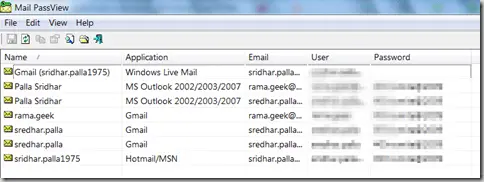
    Microsoft Outlook is an excellent desktop mail client which can be used to see your email in offline mode. You can use Outlook to create emails, save them and send them later. But once you forget their credentials, outlook password recovery becomes very important. You can also take a backup of your emails when required,…

  • How to Repair Error Code 0xc00000e9 on Windows 10

    How to Repair Error Code 0xc00000e9 on Windows 10

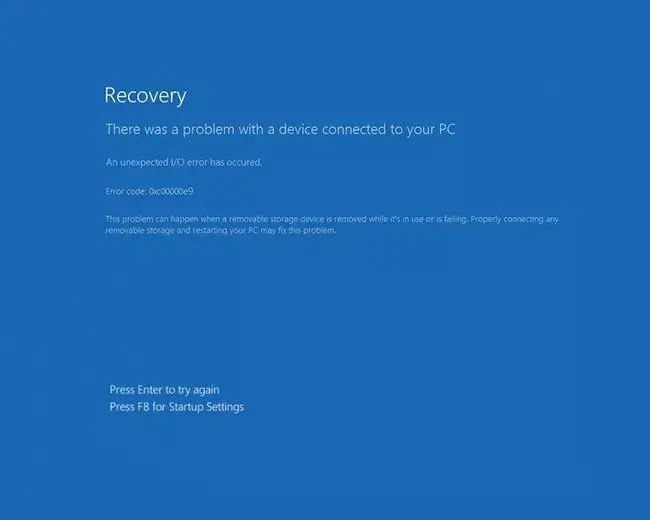
    If you receive the windows 10 error code 0xc00000e9 during boot and before the login screen appears, then it has to do something with hardware or system file missing. Also, Windows 10 is generally used with a Microsoft account. So all devices ( like mouse, keyboards, USB, external drives, Bluetooth device etc) are also registered….

  • How to open Control Panel in Windows 10 – 6 Alternate Ways

    How to open Control Panel in Windows 10 – 6 Alternate Ways

    Microsoft users who have used earlier versions of Windows are familiar with Control Panel. Though the Settings app has taken over as of late, it still doesn’t provide the easiness with which you can open Windows 10 settings. Also, the number of clicks to reach a precise control panel item is many. Some of them…

  • 10 Power-Packed Windows 11 Features for Easy Use

    10 Power-Packed Windows 11 Features for Easy Use

    Windows 11 has been recently rolled out, and many people are getting to know this new system that will become the new normal for anyone who uses a PC. Getting to know the new Windows 11 features is not that easy a task. As it continues to improve, it already has several amazing features that…

  • 6 Fixes for Windows 11 not detecting HDMI Monitor

    6 Fixes for Windows 11 not detecting HDMI Monitor

    6 Fixes for Windows 11 not detecting HDMI Monitor The best way to get an AV signal from a Windows 10 computer to a monitor or TV is using an HDMI cable. It reduces the clutter of too many wires with 3.5 mm RCA cables. A USB connection requires two connections. One for display and…

  • How to Change Windows 11 HDMI Screen Settings – 6 Options

    How to Change Windows 11 HDMI Screen Settings – 6 Options

    Whether you’re connecting your PC or laptop to a secondary display, projector, or television, optimizing these settings ensures seamless video and audio performance. Many users transitioning from Windows 10 HDMI settings find the process slightly altered in Windows 11, necessitating clear instructions to adapt quickly. Understanding HDMI settings Windows 11 is essential not just for…