Author: Palla Sridhar

Palla Sridhar is the CEO of DigiPalla IT Services LLP and a seasoned ex-IT professional with over 16 years of blogging experience. He specializes in Microsoft products, including Windows 10, Windows 11, and Office 365, with deep expertise in error code solutions, computer repair, and IT troubleshooting. He publishes practical guides that help everyday users and professionals solve real tech problems quickly and confidently.
  • 5 Incredible Benefits of Samsung TV HDMI Ports

    5 Incredible Benefits of Samsung TV HDMI Ports

    HDMI (High-Definition Multimedia Interface) ports have become an essential feature in modern televisions, and Samsung TVs are no exception. These ports allow you to connect various devices, such as gaming consoles, streaming devices, and cable boxes, to your TV for an enhanced viewing experience. Are you looking to elevate your home entertainment experience with your…
  • How to Add Items to Jump Lists in Windows 11 File Explorer

    How to Add Items to Jump Lists in Windows 11 File Explorer

    Windows 11, the latest operating system from Microsoft, brings a fresh and modern user interface along with several productivity-enhancing features. One of these features is the Jump Lists, which provide quick access to recently used files and folders, as well as customizable shortcuts to your favorite locations in File Explorer. Jump Lists can significantly speed…

  • How to Pin Shortcuts to Windows 11 Taskbar

    How to Pin Shortcuts to Windows 11 Taskbar

    Key Takeaways Quick answer: To pin shortcut taskbar Windows 11, right-click the shortcut, choose Show more options, then Pin to taskbar. For files and folders, first create a desktop shortcut with explorer.exe “C:\Your\Path” as the target, then pin that. Windows only accepts apps, so the explorer.exe wrapper makes it work. However, the process has changed…

  • How to Fix Issues with Changing App Recommendation Settings in Windows 11/10

    How to Fix Issues with Changing App Recommendation Settings in Windows 11/10

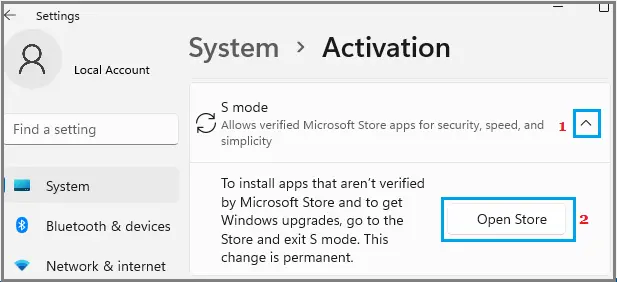
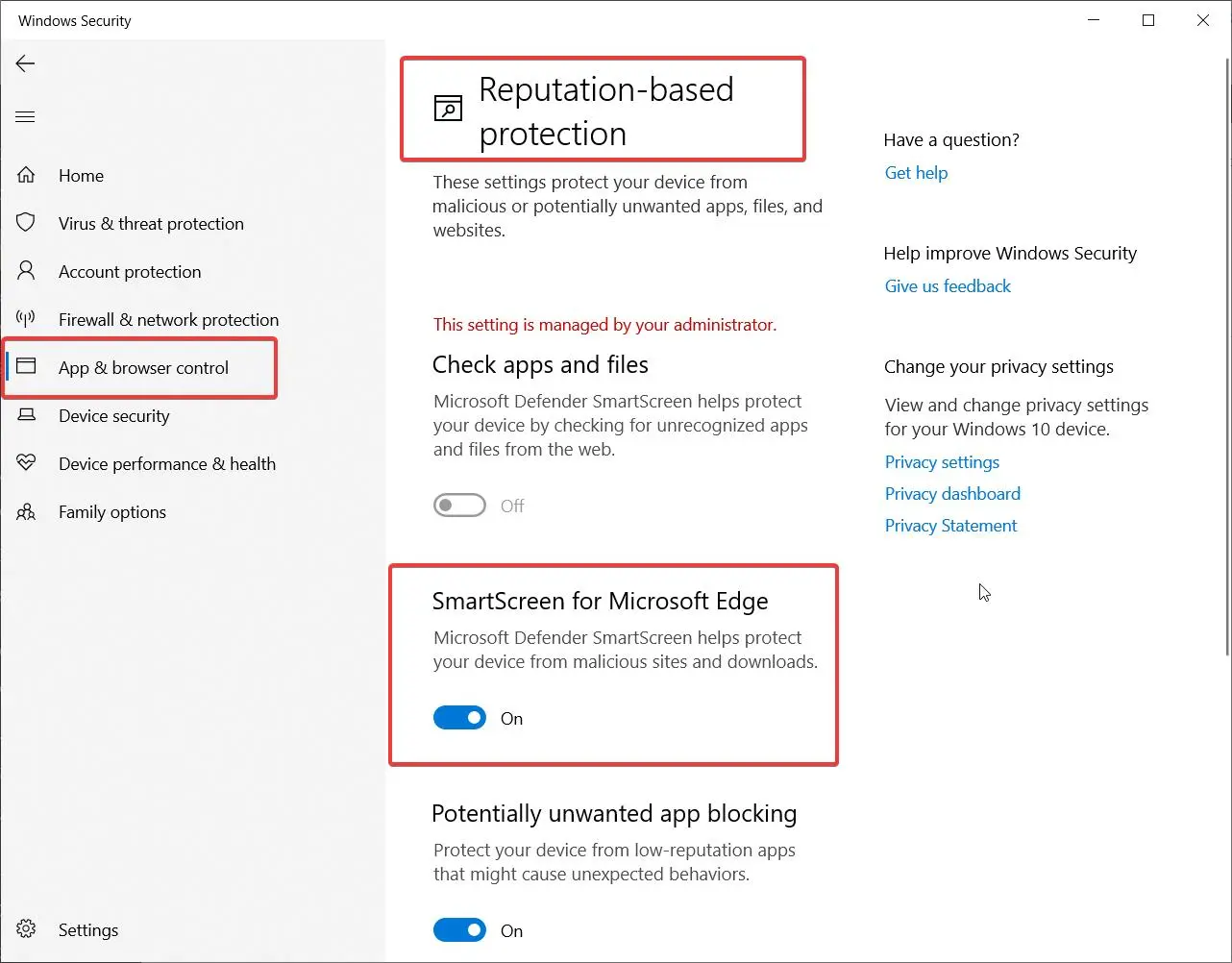
    Windows 10 and 11 users may encounter issues when trying to change their app recommendation settings, which can be frustrating when attempting to install apps from sources other than the Microsoft Store. This problem is often caused by restrictions put in place by Microsoft to enhance security and performance, particularly on devices running Windows 10…

  • How to Fix “The App You’re Trying to Install Isn’t a Microsoft-Verified App” Error in Windows 10

    How to Fix “The App You’re Trying to Install Isn’t a Microsoft-Verified App” Error in Windows 10

    If you’ve encountered the error message “The app you’re trying to install isn’t a Microsoft-verified app” while attempting to install an application on your Windows 10 device, don’t worry. This is a common issue that many users face, and it’s usually related to the Windows SmartScreen feature, which is designed to protect your system from…

  • How to Change App Recommendation Settings in Windows 10

    How to Change App Recommendation Settings in Windows 10

    Windows 10 is a feature-rich operating system that offers a wide range of customization options to enhance your user experience. One of these options is the ability to control app recommendations, which can help you discover new and relevant apps based on your usage patterns. In this blog post, we’ll walk you through the process…

  • Empower Your Windows 11: Turn Off Microsoft-Verified Apps Now

    Empower Your Windows 11: Turn Off Microsoft-Verified Apps Now

    With the introduction of Windows 11, Microsoft has implemented a new feature called Microsoft-Verified Apps. While this feature aims to provide users with a more secure and reliable app experience, some users may prefer to have more control over the apps they install on their system. In this blog post, we will walk you through…

  • 10 Powerful Microsoft-Verified Apps for Windows 11 Boost

    10 Powerful Microsoft-Verified Apps for Windows 11 Boost

    Windows 11 has brought a new era of app experiences to users, with Microsoft-verified apps leading the charge. These apps have undergone strict quality checks and are guaranteed to provide a seamless, secure, and feature-rich experience on the Windows 11 platform. In this article, we’ll dive into the best Microsoft-verified apps across various categories, helping…

  • Discover the 5 Powerful Reasons to Embrace Windows 11 S Mode Today

    Discover the 5 Powerful Reasons to Embrace Windows 11 S Mode Today

    Windows 11 S mode is a streamlined version of Windows 11 designed to provide enhanced security, performance, and battery life. By limiting apps to those available in the Microsoft Store and using Microsoft Edge as the default web browser, S mode creates a more controlled and efficient computing environment. In this article, we’ll explore the…