
Key Takeaways
- Windows 8.1 end of support caused stoppage of receiving security updates on January 10, 2023. There’s no ESU program for it, unlike Windows 7.
- Fewer than 0.1% of desktop PCs worldwide still run Windows 8.1, according to StatCounter’s July 2026 figures.
- Most Windows 8.1 hardware can’t meet Windows 11’s requirements. Upgrading to Windows 10 first is often the more realistic step, even though Windows 10 is also out of mainstream support.
- Microsoft 365 apps no longer update on Windows 8.1. Office 2016 and 2019 are also unsupported everywhere now.
- If your hardware can’t run anything newer, replacing the device is usually cheaper and safer than trying to keep an unsupported OS patched by hand.
Quick Answer
Windows 8.1 has been unsupported since January 2023. No security patches. No technical support.
No ESU option. If you’re still on it in 2026, check whether your PC meets Windows 11’s requirements first.
If it does, upgrade directly. If it doesn’t, move to Windows 10 as a stopgap, or replace the hardware. Staying on Windows 8.1 while connected to the internet is the most dangerous option.
Windows 8.1 end of support
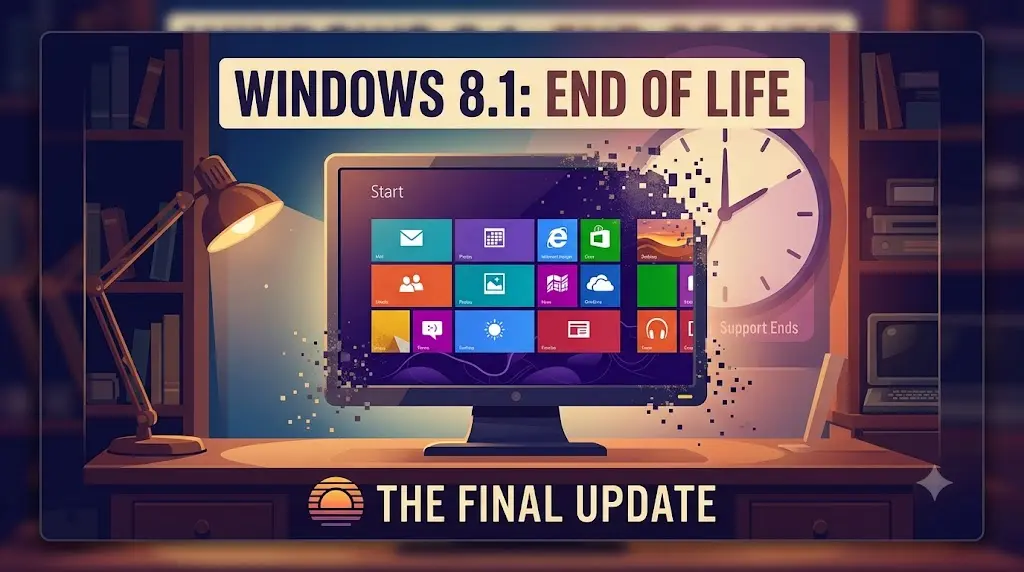
Microsoft ended support for Windows 8.1 on January 10, 2023.
That date matters because everything downstream depends on it. No security patches. No bug fixes. No help from Microsoft support.
The OS still boots. It still runs. It just stops getting protected.
Windows 8.1 end of life
“End of support” and “end of life” mean the same thing here.
Microsoft doesn’t kill the software remotely. Your PC keeps working exactly as it did the day before.
What changes is invisible: new vulnerabilities discovered after that date never get patched on your machine.
Windows 8.1 security risks
This is the real cost of staying put.
Attackers specifically target unsupported operating systems because known flaws never get fixed. Every month that passes adds more of them.
Malware, ransomware, and credential theft tools built after January 2023 assume you have no defense against techniques that exploit those gaps.
Windows 8.1 has no updates.
No updates means no updates of any kind, not just security ones.
Feature updates stopped years earlier. Bug fixes stopped in 2023 too.
Any problem you hit today, driver conflicts, app crashes, performance issues, you’re troubleshooting alone. Microsoft’s support pages for Windows 8.1 exist, but only as historical reference.
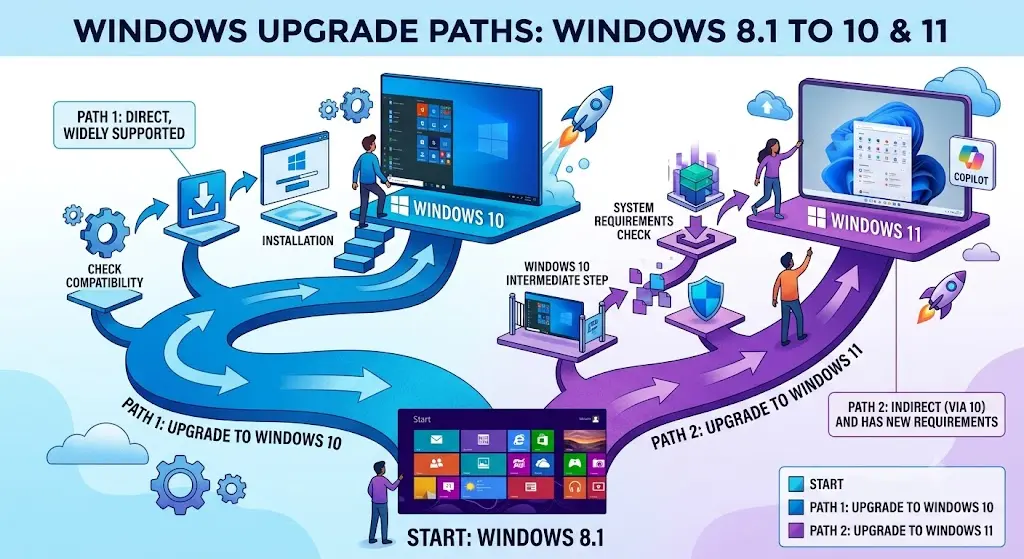
Upgrade Windows 8.1 to Windows 10.
Windows 10 itself reached the end of support on October 14, 2025, so this isn’t a permanent fix. It’s a bridge.
A genuine Windows 8.1 OEM license can sometimes still activate Windows 10 through the Media Creation Tool, though Microsoft no longer advertises this officially.
Back up your files first. The installation overwrites your existing setup.
Upgrade Windows 8.1 to Windows 11.
This is the better long-term move if your hardware supports it, which most Windows 8.1-era PCs don’t.
Windows 11 requires a much newer processor generation, UEFI Secure Boot, and TPM 2.0, none of which older 8.1 machines typically have.
Check compatibility with the PC Health Check app before assuming either way.
Windows 8.1 to Windows 11 compatibility
Direct 8.1-to-11 upgrades aren’t officially supported.
The practical path is 8.1 to 10 first, then 10 to 11, if the hardware clears Windows 11’s bar at all.
If it doesn’t, no amount of registry tweaking changes the underlying hardware limitation around TPM and Secure Boot.
Windows 11 system requirements
The requirements that trip up most Windows 8.1 hardware: TPM 2.0, UEFI Secure Boot capability, and an 8th-generation Intel or equivalent AMD processor or newer.
Most laptops and desktops built for Windows 8.1 predate all three by several years.
Run PC Health Check to get a definitive yes or no rather than guessing from specs.
Windows 10 end of support October 2025
Windows 10 reached its own end of support on October 14, 2025.
That’s worth knowing because “upgrade to Windows 10” is not a permanent answer anymore either. It buys time, not safety.
Microsoft 365 Apps security updates on Windows 10 continue through October 2028, but the OS itself doesn’t.
Extended Security Updates (ESU)
Windows 7 had a paid ESU program. Windows 8.1 does not, and never did.
Microsoft confirmed this explicitly: no ESU option for Windows 8.1, for consumers or businesses.
That removes the “just pay to keep getting patches” option that Windows 7 and Windows 10 users had.
Windows 8.1 antivirus after end of support
A good antivirus helps but doesn’t replace OS-level patches.
Antivirus software catches known malware signatures. It can’t fix the underlying system vulnerabilities that patches would have closed.
Treat antivirus as a partial mitigation while you plan an upgrade, not as a long-term substitute for one.
Windows 8.1 market share 2026
StatCounter puts worldwide Windows 8.1 usage at roughly 0.09% of desktop Windows as of July 2026.
For comparison, Windows 11 sits near 69% and Windows 10 near 30%.
Windows 8.1 is now a rounding error, which also means fewer developers test software against it going forward.
Windows 8.1 Office and Microsoft 365 support
Microsoft 365 Apps no longer receive updates on Windows 8.1, including security and feature updates.
Office 2016 and Office 2019 are unsupported everywhere now, regardless of the OS underneath.
If you rely on Office for anything sensitive, that’s a second, independent reason to move off Windows 8.1.
Buy a new PC with Windows 11
If your current hardware fails the Windows 11 compatibility check, replacing it is often more cost-effective than chasing workarounds.
A new entry-level Windows 11 PC costs less than the time most people spend trying to force an unsupported upgrade path.
It also resets your support clock to a full Windows 11 lifecycle rather than months of borrowed time on Windows 10.
Clean install vs upgrade from Windows 8.1
An in-place upgrade preserves apps and files but carries over any existing corruption or clutter.
A clean install wipes the drive and starts fresh, which is more reliable but means reinstalling everything by hand.
Given how old most Windows 8.1 installs are by now, a clean install is usually worth the extra setup time.
TPM 2.0 requirement
TPM 2.0 is a hardware security chip Windows 11 requires for every install.
Many Windows 8.1-era motherboards either lack it entirely or only support the older TPM 1.2 standard.
Check your BIOS or UEFI settings for a TPM or “Platform Trust Technology” option before assuming it’s missing. Some boards have it disabled by default.
Back up data before upgrading
Any upgrade path from Windows 8.1, direct or via Windows 10, risks data loss if something goes wrong mid-install.
Copy your files to an external drive or cloud storage before starting anything.
This is the one step people skip most often, and the one that turns a routine upgrade into a real emergency.
Windows 8.1 browser support
Internet Explorer, the default browser on Windows 8.1, has been retired.
Microsoft Edge dropped support for Windows 7 and 8.1 shortly after both reached end of support.
Any Windows 8.1 machine still online is likely running a browser that no longer receives security patches either, compounding the risk.
Linux alternative for old PCs
If your hardware can’t run Windows 11 and you don’t want to keep paying for Windows licenses, a lightweight Linux distribution is a legitimate option.
Distros like Linux Mint or Zorin OS are built specifically for older hardware and remain actively patched.
This works well for basic browsing and office tasks, less well if you depend on Windows-only software.
Windows 8.1 activation and license transfer
A genuine Windows 8.1 product key generally can’t activate Windows 10 or 11 directly through normal retail channels anymore.
Some digital license paths still work depending on how the original 8.1 copy was activated, but Microsoft doesn’t guarantee this.
If in doubt, treat a new license purchase as the safer assumption rather than counting on a free carryover.
Common Mistakes
Assuming an antivirus subscription fully replaces missing security patches.
Trying to force Windows 11 onto hardware that fails every compatibility check, instead of accepting Windows 10 or Linux as the realistic option.
Skipping the backup step before an upgrade attempt.
Continuing to use Internet Explorer or an outdated Edge build for anything involving passwords or payments.
Assuming Windows 10 is a permanent fix rather than a temporary bridge, since it’s already past its own end of support.
FAQs
Can I still use Windows 8.1 safely in 2026?
Not securely. Without security patches, any newly discovered vulnerability stays open indefinitely. It still runs, but it’s the riskiest option of everything covered here, especially if the PC connects to the internet.
Is there a paid extended support option for Windows 8.1, like Windows 7 had?
No. Microsoft explicitly does not offer ESU for Windows 8.1, for either consumers or businesses. That option simply doesn’t exist for this version.
Can I upgrade Windows 8.1 straight to Windows 11?
Not officially. The realistic path is Windows 8.1 to Windows 10 first, then Windows 10 to Windows 11, and only if your hardware clears Windows 11’s TPM 2.0 and processor requirements.
What if my PC can’t run Windows 10 or Windows 11 at all?
A lightweight Linux distribution like Linux Mint is a legitimate free option for older hardware. Otherwise, replacing the PC is usually the more practical route than trying to keep Windows 8.1 patched by hand.
Conclusion
Windows 8.1 isn’t dangerous because it stopped working. It’s dangerous because it stopped being defended.
Every month since January 2023 has added vulnerabilities nobody’s going to fix on that machine.
If your hardware clears Windows 11’s bar, upgrade directly and skip Windows 10 entirely. If it doesn’t, Windows 10 buys you a little time, and Linux buys you more, but neither is a forever answer. The honest fix, for most people still on Windows 8.1 in 2026, is a new PC. It costs less than the risk of putting it off another year.
