
Last Updated:
Affiliate Disclosure: This post contains affiliate links — if you buy through them, we may earn a commission at no extra cost to you. As an Amazon Associate we earn from qualifying purchases. Learn more.
What is the best UPS battery backup for a Windows 11 desktop? For most Windows 11 desktops, a 1500VA pure sine wave UPS like the CyberPower CP1500PFCLCD is the best choice. It delivers clean power compatible with modern Active PFC power supplies, around 10–15 minutes of runtime, and an LCD display. For basic PCs, a 600VA unit such as the APC BE600M1 offers reliable, affordable protection.
Introduction
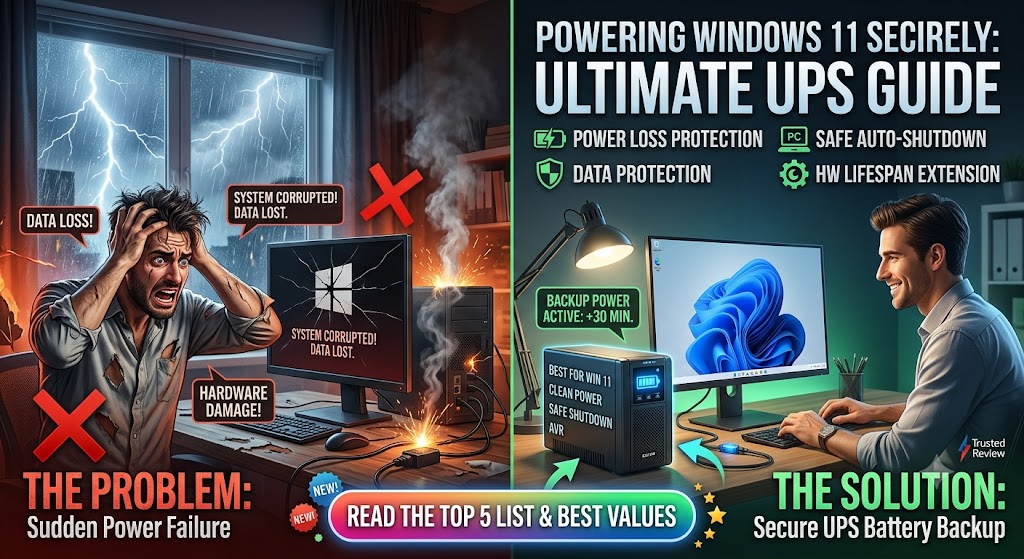
One sudden power cut, and it’s gone—the document you forgot to save, the file that was mid-write, sometimes the hardware itself. For anyone running a Windows 11 desktop, a power outage isn’t just an inconvenience; it’s a real risk to your data and your PC.
That’s where a UPS comes in. A good battery backup gives you those crucial minutes to save your work and shut down safely while shielding your system from surges and brownouts. But not every uniUPS unit is compatible with a modern PC; if you choose the wrong one,ur power supply may not even accept the backup power.
Unlike laptops, desktop PCs have no built-in battery to fall back on — the moment the power cuts, everything stops. It’s the one advantage the best long-battery-life laptops for Windows 11 enjoy by design. For desktop users, a UPS fills exactly that gap, giving you the crucial minutes needed to save your work and shut down safely when an outage strikes.
This guide covers the best UPS battery backup for Windows 11 desktop setups. You’ll learn which models to trust, how to size one correctly for your hardware, why pure sine wave output matters, and the common mistakes that leave PCs unprotected. Whether you’re a home user or running an office workstation, you’ll know exactly what to buy.
Why Your Windows 11 Desktop Needs a UPS
A desktop PC has no internal battery. The moment the power drops, it shuts off instantly — no warning, no safe shutdown. That abrupt cut is what causes the real damage.
The risks of running without a battery backup include:
- Data loss and file corruption—unsaved work vanishes, and open files can corrupt
- Operating system damage—a hard cut during a write can corrupt Windows itself
- Hardware wear — repeated hard shutdowns stress your power supply and drive
- Surge damage—when power returns, it often spikes, which can fry components
A UPS sits between your wall outlet and your PC, supplying clean battery power the instant the grid fails. As several 2026 testing roundups note, a quality unit provides both surge protection and battery backup — the complete solution, not just one or the other.
Pure Sine Wave vs. Simulated Sine Wave (This Matters Most)
Here’s the single most important thing to understand before buying—and the detail most budget shoppers miss.
Modern Windows 11 desktops, especially gaming PCs and workstations, use power supplies with Active PFC (Power Factor Correction). These supplies often reject the “simulated” or “stepped” sine wave output of cheap UPS units, causing random shutdowns or refusing to switch to battery at all.
The fix is a pure sine wave UPS, which produces clean AC power identical to your wall outlet. As testing shows, pure sine wave output stops the compatibility shutdowns that affect simulated units with active PFC supplies. If you experience random shutdowns on a budget UPS, this is almost always the cause.
✅ Rule of thumb: Gaming PC, workstation, or any modern desktop with a quality PSU → buy pure sine wave. A basic office PC → simulated may be acceptable, but a pure sine wave is always safer.
How to Size a UPS for Your Windows 11 Desktop
Buying the right capacity is just as important as the brand. If the UPS is too small, it won’t be able to handle your load; if it’s too large, you’ll end up overpaying.
Step-by-step sizing:
- Add up your wattage. A typical desktop PC draws 200–400 W, a monitor 30–60 W, and a router/modem 20–35 W combined. Most home setups total 300–600W.
- Add a 25% safety margin. Never run a UPS at 100%. If your gear draws 400W, choose a unit rated for at least 500W.
- Account for startup spikes. That margin also covers the power surge when equipment powers on.
- Check VA and watts. Capacity is listed in both. As a quick guide, VA = Watts ÷ Power Factor, and most units have a power factor around 0.6–0.7.
💡 Practical example: A desktop (300W) + monitor (50W) + router (20W) = 370W. Add 25% to the total, so you need a UPS rated for roughly 460W or more. A 600VA/330W unit would be too small; an 850VA/450W or 1500VA/900W unit fits comfortably.
The models below are the 120V versions sold on Amazon US, with North American (NEMA) plugs. If you’re in the UK, Europe, or Australia, don’t buy these directly — look for the equivalent 230V regional model instead: the CyberPower CP1500EPFCLCD (EU/UK), and APC’s regional Back-UPS variants such as the BE850G2-GR (Germany/EU), BE850G2-UK, or BE850G2-FR. Same units, correct voltage and plug for your region.
Best UPS Battery Backup for Windows 11 Desktop: Top Picks
Based on consistent recommendations across 2026 testing roundups, here are the standout models for different needs. (Prices fluctuate — always check the current price before buying.)
1. Best Overall: CyberPower CP1500PFCLCD
The near-universal top pick across reviewers.
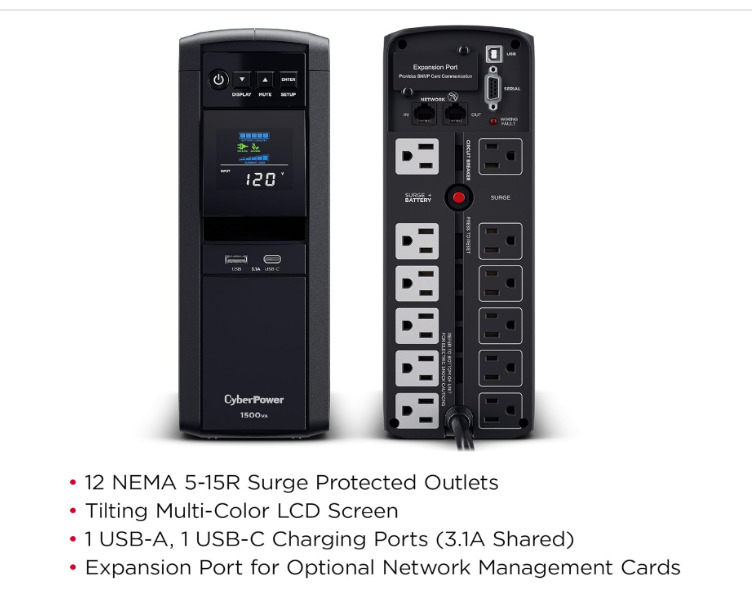
This 1500VA/1000W unit delivers pure sine wave output, making it fully compatible with modern PFC power supplies in gaming rigs and workstations. Testers report around 10–15 minutes of runtime for a typical desktop, a genuinely useful LCD showing real-time load, and a split outlet design (battery + surge-only). It’s the go-to recommendation for users wanting a pure sine wave without the premium price.
✅ Pros
- True pure sine wave output with Active PFC compatibility — handles modern PCs and gaming rigs that reject cheaper simulated-wave units; testers ran it through a dozen-plus simulated outages without a hiccup
- Strong tested runtime: around 24 minutes at a ~200W load, comfortably longer than comparable APC units at the same load
- Color LCD panel shows real-time load, runtime, and battery status at a glance, and the screen tilts for under-desk placement
- AVR corrects minor brownouts and overvoltages without draining the battery; includes USB-A and USB-C charge ports, a 3-year warranty covering the battery, and a $500,000 connected-equipment guarantee
❌ Cons
- The cooling fan becomes audible under heavy battery load, and the unit produces a faint constant hum some notice in quiet rooms
- Heavy and bulky at ~25 lb — this is a mini-tower, not a compact unit
- Limited outlet spacing means bulky wall-wart adapters can block adjacent outlets
- Some owners report a faint chemical/plastic odor when the unit is brand new
Best for: Most Windows 11 desktops, gaming PCs, and workstations.
2. Best Budget / Basic PC: APC BE600M1
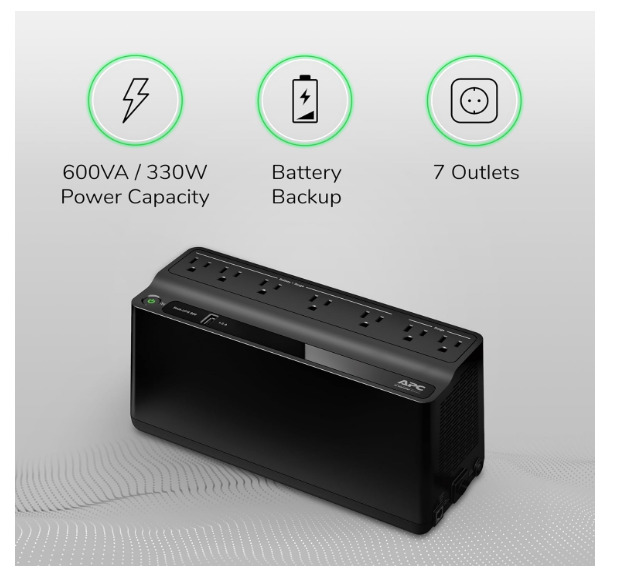
A consistent bestseller with tens of thousands of reviews. At 600VA/330W, it protects a basic desktop with a monitor and a few peripherals, with reported runtime around 16 minutes at a light load. It includes PowerChute software for automatic shutdown and a USB charging port.
✅ Pros
- Excellent value for basic protection — widely regarded as one of the cheapest reliable ways to keep a router, modem, and small devices online through outages
- Genuinely long runtime on light loads: rated ~23 minutes at 100W, but real-world networking-only setups (~30–40W) commonly run 60–75 minutes or more
- Seven outlets (five battery+surge, two surge-only), a 1.5A USB charging port, user-replaceable battery, wall-mountable, and ENERGY STAR certified
- Simple and maintenance-free — no LCD to configure; PowerChute software adds automatic safe shutdown; strong 3-year warranty and reliable brand support
❌ Cons
- Only 330W capacity — not suitable for a gaming PC or any demanding load; runtime drops fast beyond basic networking gear
- The outlet strip is rotated 90° versus standard strips, so some plug shapes don’t fit well
- Short power cord some owners need to extend, and a smaller battery than older APC models it replaced
- No app connectivity or advanced monitoring; initial battery-connection step (removing the cover to attach the cable) trips up some first-time users
Best for: Basic office PCs, budget-conscious home users.
3. Best Mid-Range: APC BE850G2 / Back-UPS Pro 1500VA
For serious home offices, an 850VA/450W (or step up to the Back-UPS Pro 1500VA) handles most desktop setups with headroom. Reviewers measured solid runtime (around 23 minutes at a typical PC load on the 850 model) and praised the split battery/surge outlet layout.
✅ Pros
- Well-regarded step up for home offices — reliable APC build quality, easy setup, and automatic device detection; 850VA/450W handles a desktop, monitor, and peripherals with headroom
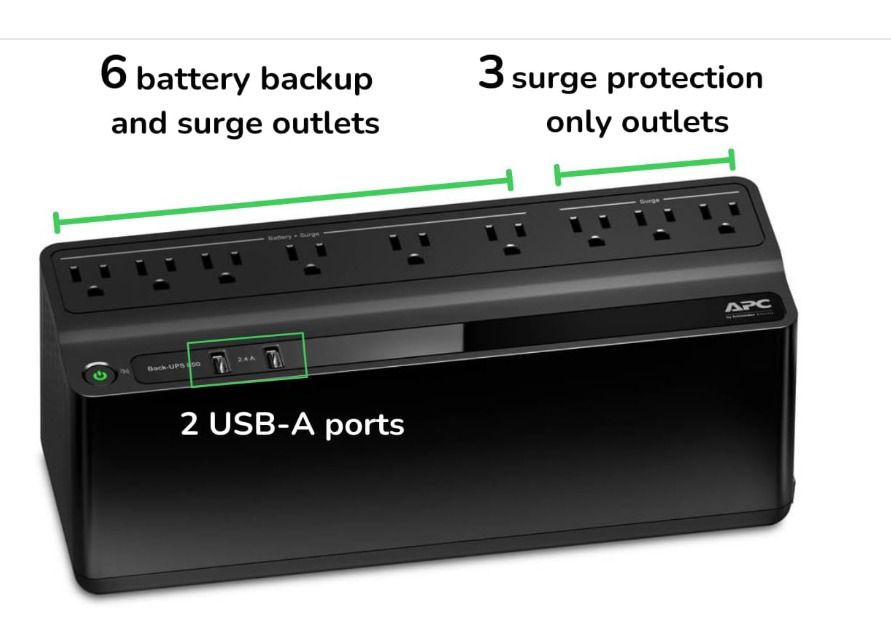
- Nine outlets (six battery+surge, three surge-only), two USB charging ports, wall-mountable, fast 6ms transfer time
- User-replaceable battery (RBC17) with a 3–5 year life, plus a 3-year warranty and $75,000 connected-equipment policy
- Straightforward control panel for battery status, alarm control, and self-test; PowerChute software enables automatic safe shutdown
❌ Cons
- Runtime is modest — typically 10–15 minutes for a full PC-plus-peripherals load; designed to save work and shut down, not ride out long outages
- Outputs a stepped approximation to a sine wave, not pure sine wave — fine for most gear but less ideal for some Active-PFC power supplies
- Audible alarms can be loud in a quiet office; muting requires the software
- Outlet spacing and orientation don’t suit every device layout, and the initial battery connection feels awkward to some owners
Best for: Home offices, multiperipheral setups.
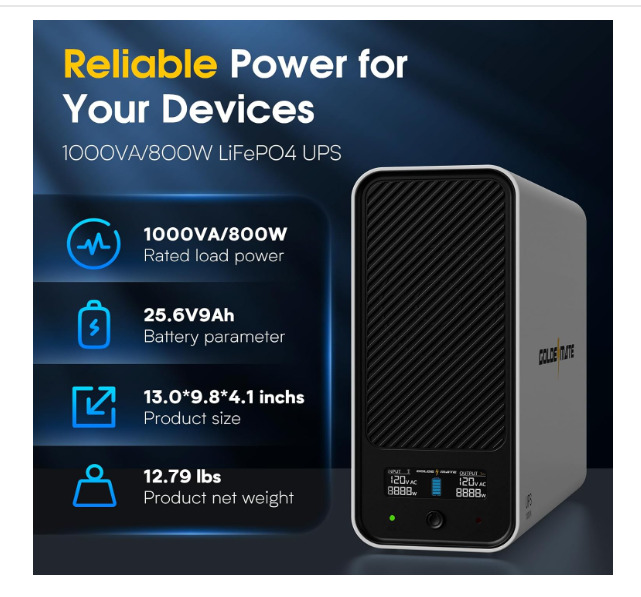
4. Best for Frequent Outages: Lithium (LiFePO4) UPS
Lithium-battery units cost more upfront but claim 10+ year lifespans and 5000+ charge cycles versus 3–5 years and ~300 cycles for traditional lead-acid. One tested model delivered over 60 minutes of runtime at a light load, ran near-silently, and weighed significantly less.
✅ Pros
- Dramatically longer lifespan — LiFePO4 cells handle 2,000+ charge cycles (often far more), typically lasting 8–15 years versus 3–5 for lead-acid, so you likely never replace the battery
- Far safer chemistry — exceptional thermal stability and high resistance to overheating or fire, ideal for an always-on device plugged in 24/7
- Lighter and more compact than lead-acid at equivalent capacity, and recharges much faster (often 1–2 hours vs. 8–16 for lead-acid)
- Lower total cost of ownership over its life despite the higher sticker price, thanks to no battery replacements and minimal maintenance; often near-silent with stable voltage output
❌ Cons
- Significantly higher upfront cost — the main barrier versus a comparable lead-acid unit
- Efficiency can dip in very cold environments (largely irrelevant for typical indoor home/office use)
- Smaller selection of consumer home models compared to the vast lead-acid market
- Overkill for someone who only needs a few minutes of runtime for a single non-critical device on a tight budget
Best for: Areas with frequent or extended outages, quiet offices.
Recommended Software: Don’t Skip Automatic Shutdown
A UPS is only half the solution. Pair it with its management software (APC’s PowerChute or CyberPower’s PowerPanel) connected via USB.
This software:
- Monitors power conditions and logs outage events
- Automatically shuts down Windows 11 safely when the battery runs low — even if you’re not at your desk
- Displays remaining runtime and battery health
For office users or anyone who leaves their PC unattended, this auto-shutdown feature is the difference between a graceful save and a catastrophic crash.
Common Mistakes to Avoid
1. Buying a simulated sine wave unit for a modern PC is the most common and costly error. Active PFC power supplies may shut down or refuse battery power on simulated output. Buy a pure sine wave for any modern desktop.
2. Undersizing the UPS: A unit that’s too small can’t carry your load long enough to shut down safely. Always add a 25% margin above your total wattage.
3. Plugging a laser printer into the battery outlets Laser printers draw 800–1,400W during warm-up and can overload a consumer UPS. Use the surge-only outlets or a separate strip for them.
4. Ignoring battery lifespan Lead-acid batteries last 3–5 years. Many units self-test and signal when replacement is due—don’t ignore it, or you’ll have a UPS that can’t hold a charge when you need it.
5. Forgetting to install the software means you lose the automatic safe-shutdown feature entirely without the USB connection and management software.
Best Practices for UPS Setup
- ✅ Choose pure sine wave for any modern Windows 11 desktop
- ✅ Size for your total wattage plus 25%
- ✅ Connect the USB cable and install the management software for auto-shutdown
- ✅ Plug your PC, primary monitor, router, and modem into the battery-backed outlets
- ✅ Use surge-only outlets for printers and non-essential peripherals
- ✅ Replace the battery every 3–5 years (or as the self-test indicates)
- ✅ For demanding setups, configure your power and sleep settings so the PC shuts down cleanly—see how to stop your Windows 11 desktop from sleeping unexpectedly before assuming it’s a hardware fault
FAQ: Best UPS Battery Backup for Windows 11 Desktop
What size UPS do I need for a Windows 11 desktop PC?
Add up your PC, monitor, and networking gear wattage—usually 300–600W for a home setup—then add a 25% safety margin. A 1500VA/900W unit suits most desktops and gaming PCs, while a basic office PC may be fine with a 600–850VA unit. Never run a UPS at full capacity.
Do I need a pure sine wave UPS for a Windows 11 gaming PC?
Yes. Modern gaming PCs and workstations use Active PFC power supplies that often reject simulated sine wave output, causing random shutdowns. A pure sine wave UPS delivers clean power identical to your wall outlet, ensuring full compatibility. The CyberPower CP1500PFCLCD is a popular, well-reviewed pure sine wave option.
Can a UPS automatically shut down my Windows 11 PC?
Yes. Connect the UPS to your PC via USB and install its software (APC PowerChute or CyberPower PowerPanel). The software monitors battery level and triggers a safe Windows 11 shutdown before the battery depletes — ideal if you’re away from your desk during an extended outage.
How long do UPS batteries last?
Traditional lead-acid UPS batteries last 3–5 years, while newer lithium (LiFePO4) units claim 10+ years and far more charge cycles. Most units include a self-test that signals when the battery needs replacing. Replacement batteries cost less than a new unit, so they’re worth replacing rather than discarding.
Can I plug my printer into a UPS?
Inkjet printers are fine on battery outlets, as they draw little power. Laser printers, however, draw 800–1,400W during warm-up and can overload a consumer UPS. Plug laser printers into the surge-only outlets or a separate surge protector, never the battery-backed outlets.
Conclusion
A power outage is never convenient — but with the best UPS battery backup for your Windows 11 desktop, it doesn’t have to mean lost work or damaged hardware. The right unit buys you time, protects against surges, and shuts your PC down safely when you can’t.
A UPS solves the outage problem, but it doesn’t address the other cost of a desktop setup: the standby power your monitor, speakers, and peripherals draw around the clock. Pairing your UPS with one of the smart power strips that cut standby energy waste covers both sides — protection when the power fails, savings when it doesn’t.
Here’s the quick takeaway:
- Most desktops & gaming PCs: a 1500VA pure sine wave unit like the CyberPower CP1500PFCLCD
- Basic office PCs on a budget: a 600VA unit like the APC BE600M1
- Frequent outages: consider a longer-lasting lithium model
- Always: size for your wattage + 25%, choose pure sine wave for modern PCs, and install the auto-shutdown software
Don’t wait for the next blackout to find out your data wasn’t protected. Size your setup, pick the right unit, and plug in with confidence.
⚠️ A note on prices and models: UPS pricing and availability change frequently. The models above reflect consistent 2026 reviewer recommendations, but always confirm current specs, price, and stock with the retailer before buying.
