
Last Updated:
Affiliate Disclosure: This post contains affiliate links — if you buy through them, we may earn a commission at no extra cost to you. As an Amazon Associate we earn from qualifying purchases. Learn more.
What is the best smart power strip for a Windows 11 PC? For most Windows 11 PC setups, the Kasa Smart Wi-Fi Power Strip (HS300) is the best choice. It offers six individually controlled outlets, per-outlet energy monitoring, scheduling, and surge protection. This lets you cut phantom power to your PC, monitor, and peripherals automatically, saving an estimated $100–$180 per year on wasted standby electricity.
Introduction
Your Windows 11 PC and its gear keep drawing power even when switched off. Monitor, speakers, printer, chargers — all quietly sipping electricity in standby, adding up to real money over a year. This invisible drain is called phantom or vampire power, and most people never notice it.
A smart power strip fixes this. It lets you control each outlet from your phone, schedule devices to fully power down overnight, and even see exactly how much energy each one uses. For a desk full of electronics, that’s both convenient and money-saving.
Whether you run a desktop setup or dock one of the Windows 11 laptops with the longest battery life at your desk, the gear around your PC — monitor, speakers, chargers, printer — keeps drawing power long after you’ve stopped working. A smart power strip puts that hidden standby drain under your control, cutting waste automatically on a schedule.
This guide covers the best smart power strips for your Windows 11 PC setup. You’ll learn which models lead in 2026, what features actually matter, how energy monitoring works, and how to pair a strip with Windows 11’s own power settings. Whether you’re a home user or running an office desk, you’ll know exactly what to buy and why.
Why Your Windows 11 PC Setup Wastes Power (and How a Smart Strip Helps)
Even when you shut down Windows 11, your peripherals often stay in standby—drawing what’s known as phantom or vampire power. It’s small per device, but it never stops.
The numbers are eye-opening. The U.S. Department of Energy estimates vampire power accounts for around 10% of residential electricity use — roughly $100 per year for the average household. Reviewers testing smart strips have repeatedly found PCs and monitors drawing real wattage while “off”: one tester measured a gaming PC pulling 87 watts in standby, and another found a monitor wasting $23 a year doing nothing.
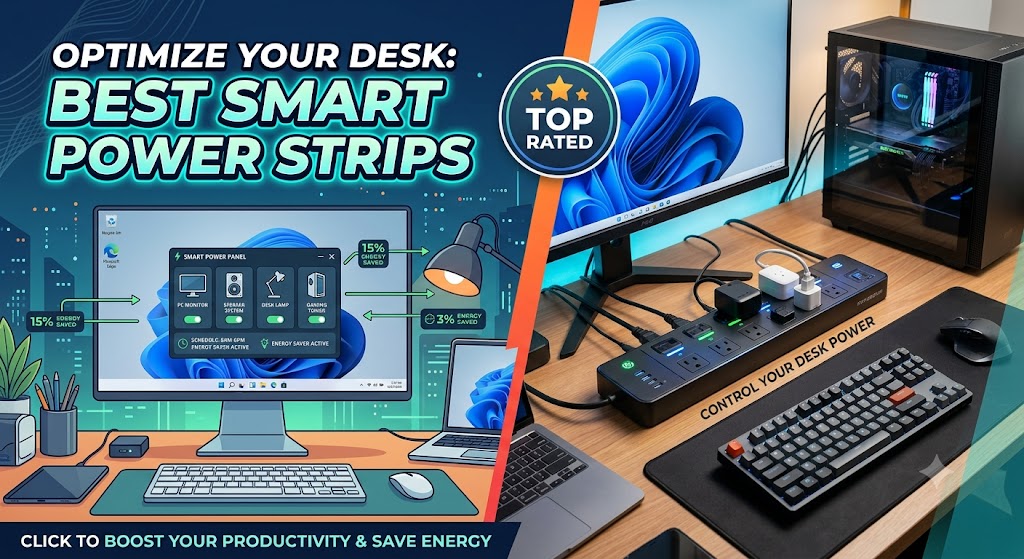
A smart power strip eliminates this by completely cutting power to selected outlets on a schedule or with a tap. No more guessing — you see the draw and stop it.
Smart Power Strip vs. Smart Plug: Which Do You Need?
A quick clarification, since both get recommended for PC setups.
- Smart plug — best for a single device (a lamp, a fan). One outlet, compact, and cheap.
- Smart power strip — best for a cluster of devices that share a location, like an entire PC desk. Multiple individually controlled outlets in one unit.
For a Windows 11 desk with a PC, monitor, speakers, and chargers, a smart power strip is the right tool. You get centralized control over the whole setup while keeping essentials (like your router) powered.
What to Look for in a Smart Power Strip for a PC
Not every strip suits a computer setup. Prioritize these features:
- Per-outlet control—each socket switches independently, so you can cut the monitor while keeping the router on
- Energy monitoring — real-time, per-outlet wattage tracking to find the energy hogs
- Scheduling & automation — auto power-down overnight, auto power-up in the morning
- Surge protection — guards your expensive PC gear from voltage spikes (look for a solid joule/wattage rating)
- Wide-spaced outlets — fits bulky PC and charger power bricks
- USB / USB-C ports — for charging modern laptops, tablets, and phones
- Smart home compatibility — Alexa, Google Assistant, Apple HomeKit, or Matter support
⚠️ Network note: Most smart strips only support 2.4GHz Wi-Fi. If your router broadcasts 5GHz only, you’ll need to enable 2.4GHz (at least during setup) to connect the strip.
Best Smart Power Strips for Windows 11 PC: Top Picks
Based on consistent 2026 testing recommendations, here are the standout models. (Prices fluctuate — always check the current price before buying.)
1. Best Overall: Kasa Smart Wi-Fi Power Strip (HS300)
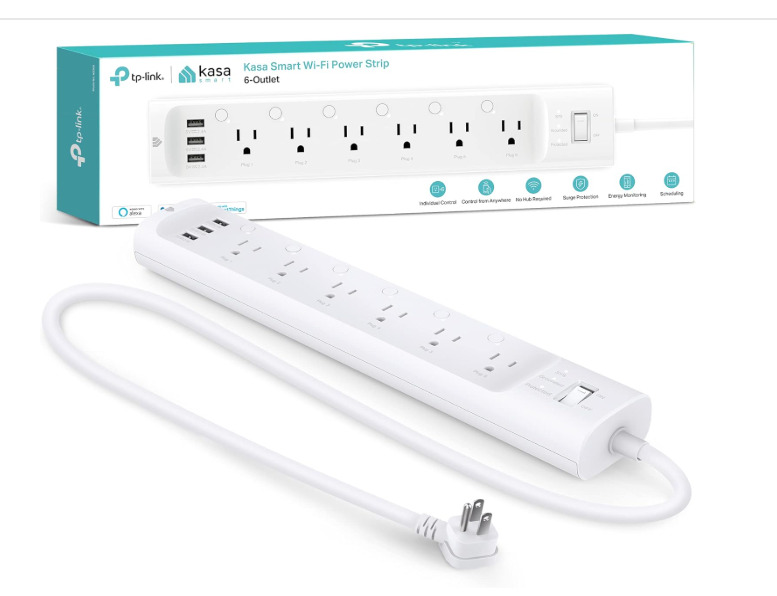
The near-universal top pick across reviewers. It offers six individually controlled outlets with per-outlet energy monitoring, plus three USB ports. The Kasa app shows real-time and historical consumption for each device, so you can pinpoint exactly what’s wasting power. Testers report quick setup (under 10 minutes), reliable Alexa/Google voice control, and around 1875 joules of surge protection.
✅ Pros
- The near-universal top pick — six individually controlled outlets with real-time, per-outlet energy monitoring, the standout feature for identifying and killing phantom loads (reviewers call it “genuinely useful for spotting devices wasting power”)
- Fast, reliable setup (~10 seconds) via the well-regarded Kasa app, with automatic firmware updates; works with Alexa and Google Assistant
- Smart angled-plug design with ~2-inch outlet spacing that fits bulky adapters, plus three USB charging ports and surge protection
- Consistently high ratings (~4/5 across thousands of reviews) and PCMag Editors’ Choice; excellent for a device-dense computer desk or home theater
❌ Cons
- Premium price versus basic strips — the most common complaint, though most owners feel the features justify it
- The 3-foot cord is short for some setups, with no extension option
- The three USB ports share a single on/off and have no individual energy monitoring (only the AC outlets do)
- No Apple HomeKit support; a minority report occasional app instability or a needed device reset over long-term use
Best for: Most Windows 11 desk setups wanting full control plus energy data.
2. Best for Apple Users: TP-Link Tapo P306
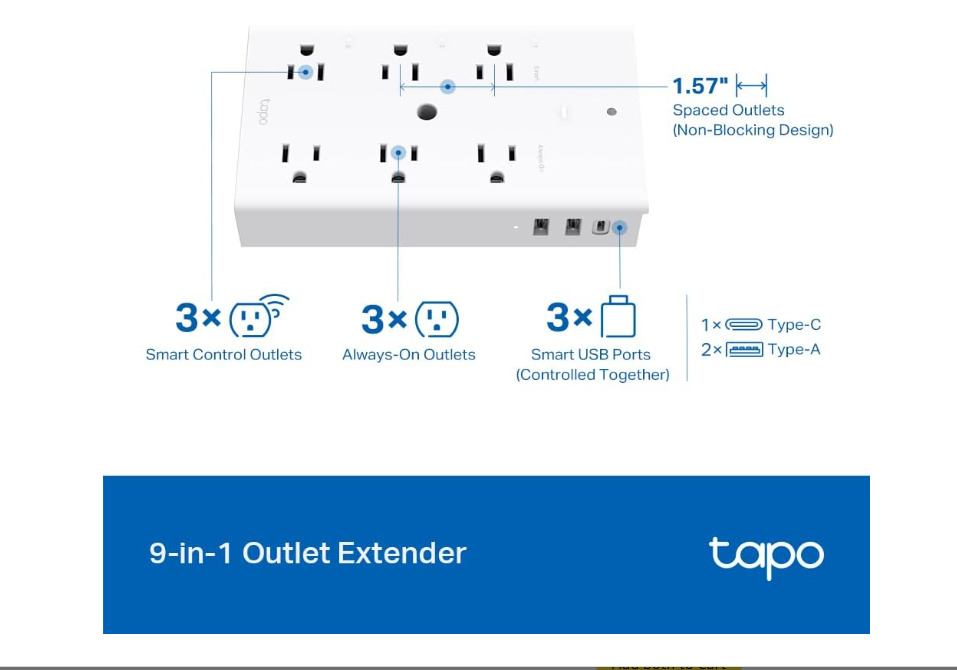
For Apple-ecosystem households, the Tapo P306 offers strong HomeKit integration with native setup through the Home app. Reliable, well-spaced outlets and rock-solid app performance.
✅ Pros
- Strong value with reliable TP-Link app performance and well-spaced, independently controlled outlets
- Simple, stable everyday operation — scheduling, timers, and remote control that “just work”
- Broad voice-assistant support and a clean, beginner-friendly app; good fit for those already in the Tapo ecosystem
- Compact, tidy design that suits a desk or entertainment center
❌ Cons
Like most of these, requires 2.4GHz Wi-Fi and won’t connect on a 5GHz-only network
Depending on the exact variant, it may lack the per-outlet energy monitoring that the Kasa HS300 offers — verify the spec if energy tracking is your goal
HomeKit/Apple support varies by model revision — confirm before buying if you’re an Apple household
Fewer outlets than the HS300 in some configurations
Best for: Apple Home users, Siri voice control.
3. Best Matter / Future-Proof: Meross Smart Wi-Fi Surge Protector (MSS425F)
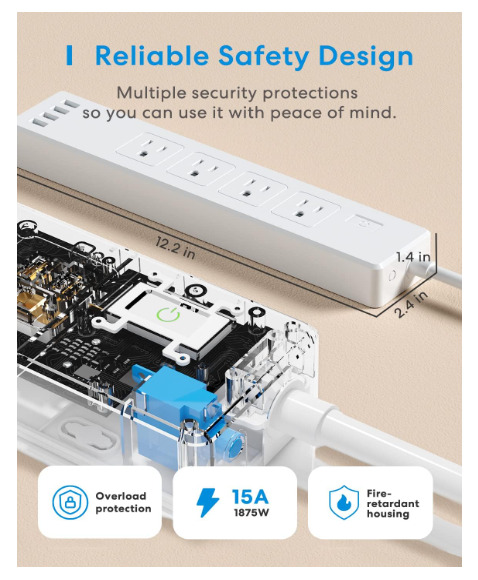
If you want cross-platform flexibility, the Matter-compatible Meross lets you mix Apple Home, Alexa, and Google Assistant on the same strip. The smartest long-term investment for mixed smart-home setups.
✅ Pros
- Its headline strength is broad cross-platform compatibility — works with Apple HomeKit, Alexa, and Google Assistant, letting mixed-ecosystem households control one strip from any platform
- Multiple individually controlled outlets plus USB ports, with genuine surge protection for connected electronics
- Reliable Meross app with scheduling, timers, and remote access; a common pick for Apple users who want more than a single smart plug
- Good value for the feature set, especially given native HomeKit support that many rivals lack
❌ Cons
- No per-outlet energy monitoring — if tracking consumption is the goal, the Kasa HS300 is the better tool
- The Meross app, while functional, is less polished than Kasa’s or Tapo’s to some users
- Outlet spacing can be tight for large power bricks depending on the revision
- 2.4GHz-only Wi-Fi, and initial HomeKit pairing occasionally needs a retry
Best for: Multi-platform households, future-proofing.
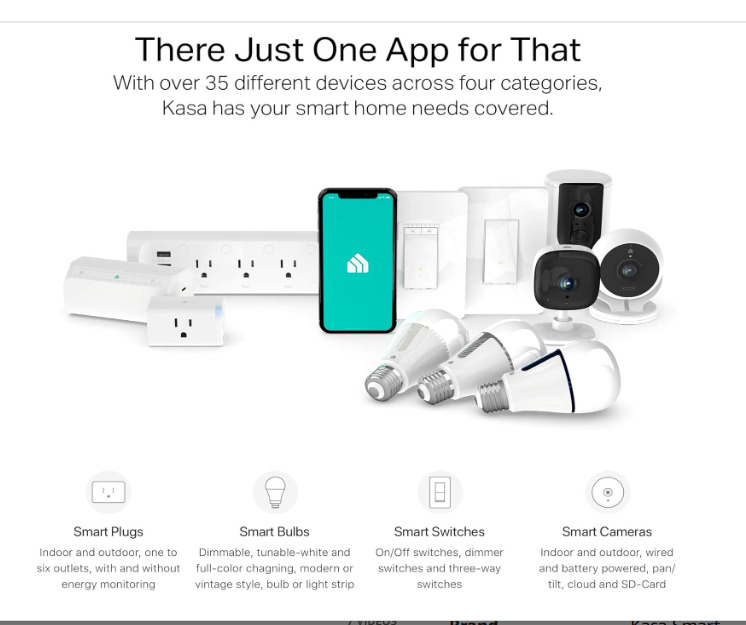
4. Best Budget: Kasa KP303
Delivers the essential smart features — app control, scheduling, independent outlets — at a budget-friendly price (approx. $24), without energy monitoring. A solid entry point.
✅ Pros
- Excellent budget entry into smart power — three individually controlled outlets plus two USB ports at a noticeably lower price than the HS300
- Same reliable Kasa app, scheduling, and Alexa/Google voice control that make the HS300 popular
- Compact and simple — ideal for a smaller desk or a specific cluster of devices rather than a whole entertainment center
- Solid ratings and TP-Link’s reputation for dependable smart-home basics
❌ Cons
- No energy monitoring — the key feature you give up versus the HS300, so it won’t help you measure phantom loads
- Only three AC outlets, limiting for a full PC-plus-peripherals desk
- No surge protection on some revisions — confirm if that matters for your gear
- 2.4GHz Wi-Fi only; USB ports lack individual control
Best for: Budget buyers who want scheduling without the premium price.
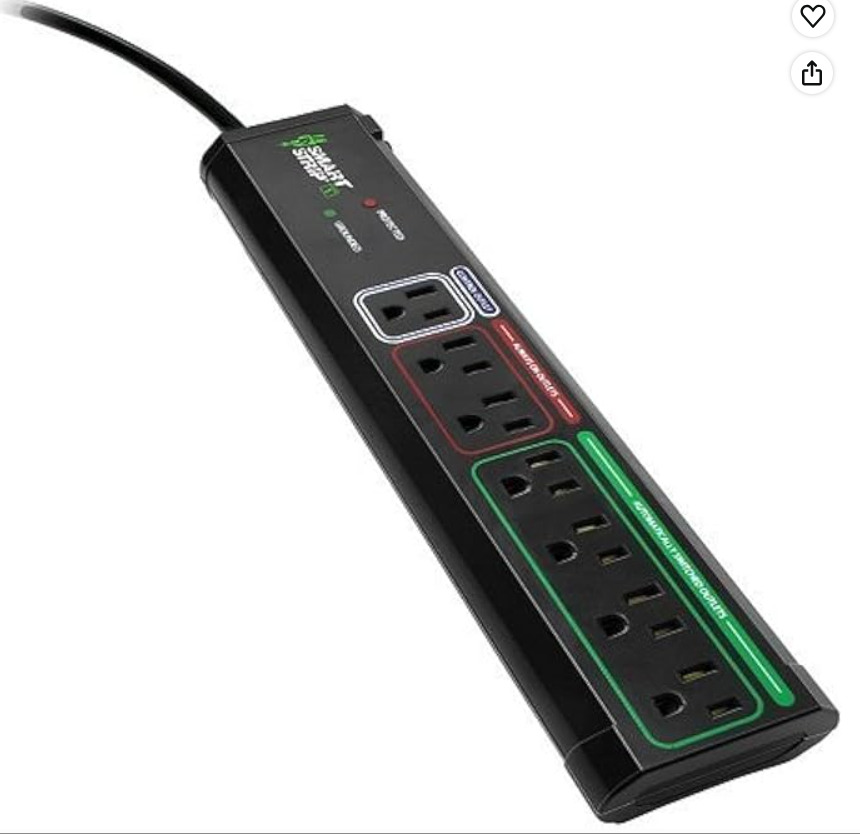
5. Best Non-Wi-Fi (Autoswitching): Smart Strip ECG-7MVR
No app, no network — this strip uses autoswitching technology: when your PC (the “control” outlet) powers off, it automatically cuts power to the peripheral outlets. A simple, set-and-forget option for those who don’t want a Wi-Fi device. Approx. 7 outlets.
✅ Pros
- A genuinely different approach — uses autoswitching rather than Wi-Fi: when the “control” device (your PC) powers off, the strip automatically cuts power to the peripheral outlets
- No app, no account, no network dependency — a true set-and-forget option that appeals to privacy-minded users and those who dislike cloud devices
- Eliminates peripheral standby draw automatically without any scheduling or configuration
- Typically seven outlets with dedicated always-on, switched, and control roles, plus surge protection
❌ Cons
- No remote control, scheduling, energy monitoring, or voice assistant — none of the “smart app” features, by design
- Requires correct setup (plugging the right device into the control outlet) to work as intended, which confuses some first-time buyers
- The autoswitching threshold isn’t adjustable on most units, so very low-power “control” devices may not trigger it reliably
- A niche, older-style product with a smaller review base than the mainstream Wi-Fi strips
Best for: Users who want automatic PC-linked shutdown without an app.
How a Smart Strip Works With Windows 11 Power Settings
Here’s the angle generic guides miss—pairing the strip with Windows 11 itself.
Your strip handles the peripherals; Windows 11 handles the PC. Used together, they eliminate nearly all idle waste:
- Set Windows 11 to sleep or shut down on a schedule (or after inactivity)
- Schedule the smart strip to cut peripheral power shortly after—monitor, speakers, printer
- Keep your router and modem on an always-on outlet so your network stays up
Pairing a smart strip with the right Windows 11 power plan gives you efficiency at both the hardware and software level — the strip stops standby draw at the outlet, while Windows manages the PC’s own consumption.
✅ Tip: Don’t put your PC itself on a scheduled-off outlet—abruptly cutting power to a running PC risks data loss. Let Windows shut down first, then let the strip cut the already-off peripherals.
Common Mistakes to Avoid
1. Putting your running PC on a scheduled-cut outlet Cutting power to a live PC can corrupt files. Always let Windows 11 shut down or sleep first; schedule the strip to cut power after.
2. Forgetting the 2.4GHz requirement Most strips won’t connect to 5GHz-only networks. Enable 2.4GHz before setup to avoid pairing headaches.
3. Scheduling off your router/modem Cutting your network on a schedule breaks overnight updates and remote access. Keep networking gear on an always-on outlet.
4. Ignoring outlet spacing Bulky PC and charger power bricks can block adjacent outlets. Check for wide-spaced outlets if you have large adapters.
5. Buying without energy monitoring, then wondering where the savings are If cutting costs is the goal, choose a strip with per-outlet monitoring (like the HS300) so you can actually see and target the waste.
Best Practices for Setup
- ✅ Group your gear: PC + monitor + speakers on schedulable outlets, router + modem on always-on
- ✅ Enable 2.4GHz Wi-Fi before pairing
- ✅ Set a nightly schedule (e.g., off at 11 PM, on at 7 AM) to kill standby draw
- ✅ Use energy monitoring to find your biggest standby offenders
- ✅ Let Windows 11 sleep/shut down first, then have the strip cut peripheral power
- ✅ Plug expensive gear into a strip with solid surge protection
One thing a smart strip can’t do is keep your PC running when the power goes out — cutting waste and surviving a blackout are different jobs. If you work on a desktop, it’s worth adding a UPS battery backup for outage protection alongside your strip, so an unexpected cut never costs you unsaved work.
FAQ: Best Smart Power Strips for Windows 11 PC
Do smart power strips actually save money on a PC setup?
Yes. Smart power strips eliminate phantom power — the electricity devices draw in standby. Reviewers have measured PCs and monitors drawing 15–87 watts while “off.” By scheduling outlets to fully cut power overnight, a smart strip can save an estimated $100–$180 per year on a typical home setup.
What’s the best smart power strip with energy monitoring for a PC?
The Kasa Smart Wi-Fi Power Strip (HS300) is widely rated the best for energy monitoring. It tracks per-outlet wattage in real time through the Kasa app, showing exactly how much each device—PC, monitor, speakers—consumes. This granular data helps you identify and eliminate the biggest standby power wasters.
Why won’t my smart power strip connect to Wi-Fi?
Most smart power strips only support 2.4GHz Wi-Fi, not 5GHz. If your phone is on 5GHz during setup, pairing often fails. Temporarily disable 5GHz or enable the 2.4GHz band on your router, then retry. Thick walls or distance from the router can also weaken the connection.
How much surge protection do I need for a gaming PC?
For a gaming PC and peripherals, look for a strip rated around 1500–2000+ joules. The Kasa HS300, for example, offers around 1875 watts of surge protection. Higher joule ratings absorb larger voltage spikes, better protecting your expensive components from surge damage during storms or grid fluctuations.
Smart plug or smart power strip for my computer desk?
For a full computer desk with multiple devices—PC, monitor, speakers, and chargers—a smart power strip is better. It gives you several independently controlled outlets in one unit. A smart plug only controls a single device, making it better suited for an isolated item like a lamp or fan.
Conclusion
Your Windows 11 PC setup is quietly costing you money every night it sits in standby. The best smart power strips put a stop to it—cutting phantom power, tracking exactly what each device uses, and automating the whole thing so you never have to think about it.
Here’s the quick takeaway:
- Most users: the Kasa HS300 — full per-outlet control plus energy monitoring
- Apple homes: the Tapo P306 for HomeKit
- Future-proofing: the Matter-compatible Meross MSS425F
- Budget: the Kasa KP303
- No-app option: the autoswitching ECG-7MVR
Pair your strip with Windows 11’s sleep and shutdown settings, keep your router on an always-on outlet, and let the schedule do the rest. A few minutes of setup turns wasted standby power into real yearly savings.
⚠️ A note on prices and models: Smart power strip pricing and availability change frequently. The models above reflect consistent 2026 reviewer recommendations, but always confirm current specs, price, and stock with the retailer before buying.
