
Last Updated:
The root cause analysis for Outlook 2016 freezing is a tedious task. To better solve such problems, we have identified some of the common reasons for such crashes on startup and listed their solutions. Sometimes an update like KB 3097877 can cause an hang of Office software. There can be other cases, like when you try to reply a new message, your Outlook is crashing.
More Related : Simple Tool to Recover PST Files in Outlook 2013 – RecoveryFix [Review]
To give fixes for all the causes of crashes of Outlook 2016 on startup is an herculean task. So we provide some general answers to common problems. We will update the article whenever there is a new solutions or many users facing the same type of issue.
More Related : Fix Outlook 2013 and 2010 Loading Profile Problems – Several Solutions
Solution 1
In this scenario, the culprit can be some bad system file of Outlook 2016. So if you can repair your Office installation files and restart the system, you should be happy to see your normal Outlook again.
Check the “Current Version” number for Outlook 2016. This can be done in several ways.
You can check Office forums, Google and Technet forums to find it.
Otherwise, you can just go to “File > Account” in any of the Office Software like Word, Excel, PowerPoint etc. You will find the version number and build number over there, as shown in image below.
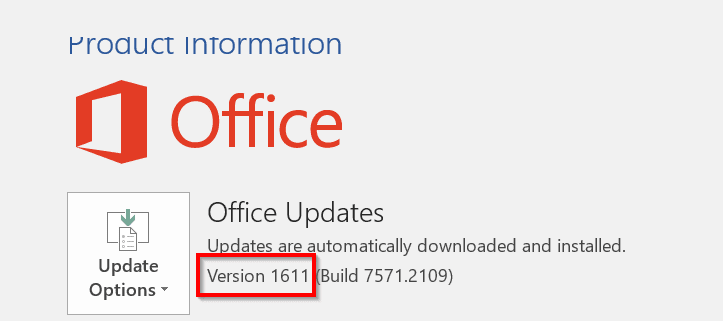
For example, I’m using the latest version of Outlook 2016. The version number is 1611 and Build Number is 7571.2109.
Then open the Run dialog box, using Win + R.
Type one of the following commands in it, based on whether your Windows 10 is 64 bit or 32 bit.
64-bit version, type:
“%programfiles%\Microsoft Office 15\ClientX64\OfficeClickToRun.exe” /update user updatetoversion=(version)
32-bit version, type:
“%programfiles%\Microsoft Office 15\ClientX86\OfficeClickToRun.exe” /update user updatetoversion=(version)
Here, the version number is the one relevant to you, which you found out earlier.
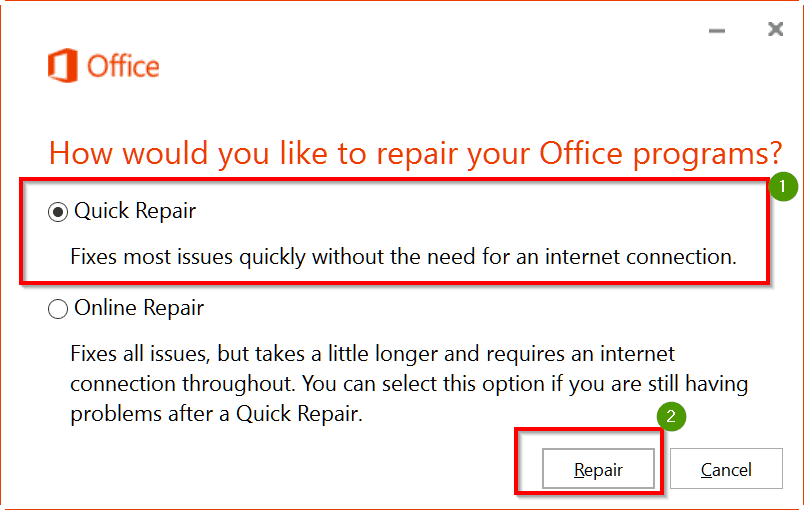
When there is a prompt, select the option “Repair” Office.
This can also be done using “Programs and Features” in the Control Panel. You can select your version of Office 2016 and right-click and select “Change”. Then select “Repair Office” in the next dialog box.

Solution 2
This type of scenario arises when you have a bad add-in in Outlook. With the intention of different functionality you keep on installing new add-ins from time to time. These all take resources (time) during the startup of Outlook 2016. Sometimes, Outlook opens slowly, but sometimes it crashes. In such cases you can follow this solution.
- Select “CTRL” key using your desktop keyboard while opening Outlook 2016.
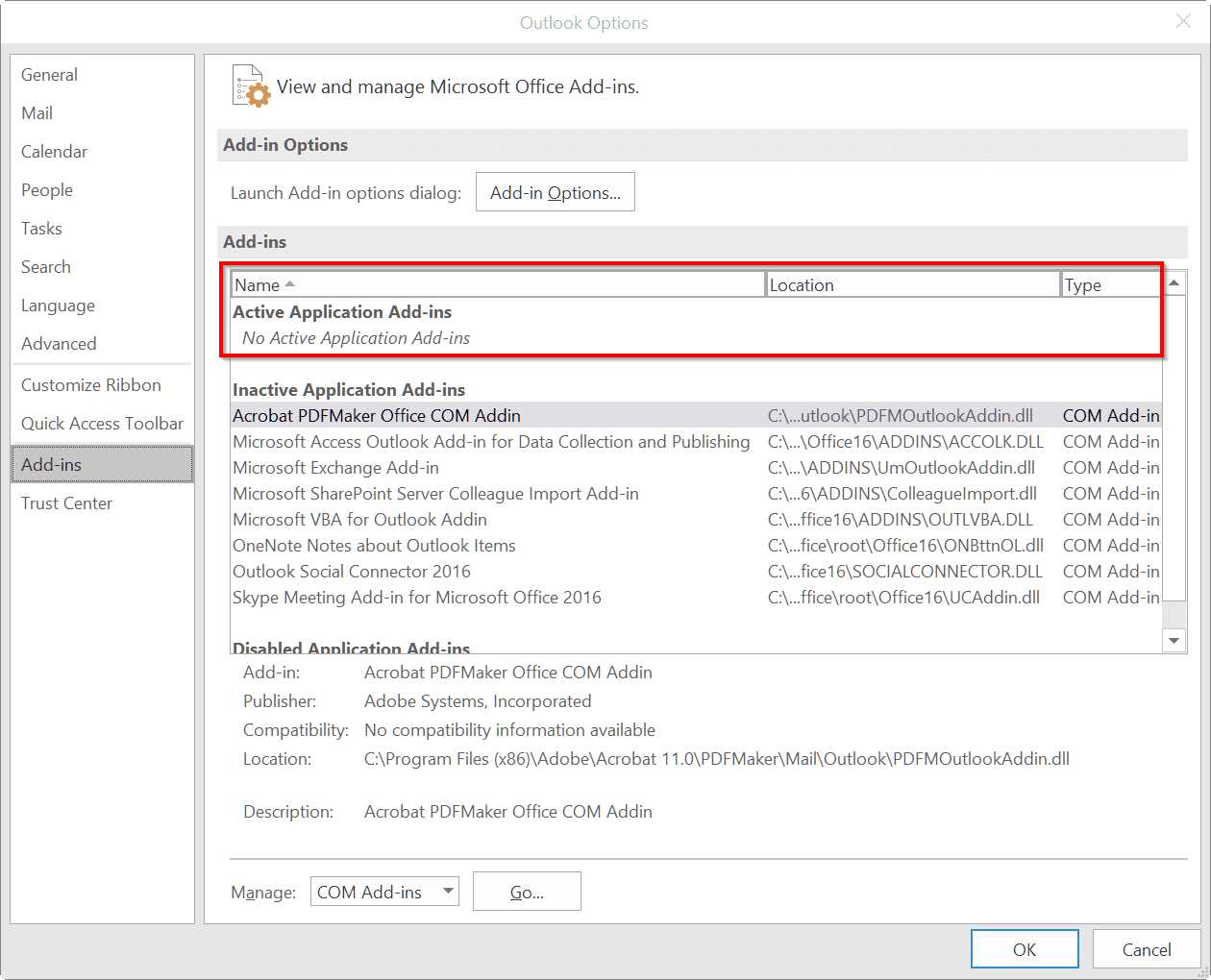
- Select “File” > “Manage Add-Ins“.
- Now disable all types of “Add-ins” which are active by default. You can also do it by going through File > Options > Add-ins, if by luck Outlook starts at all.
- Restart Outlook again and check to see, if it’s not crashing.
Solution 3
This type of problem arises, when you have a graphics card like NVidia. You probably optimize its settings for better resolution, but the same can be a culprit in causing Outlook crashing. So you just have to toggle with the features of your Graphics card and set to default settings. Probably your Outlook 2016 will be normal again in Windows 10.
- Go into Outlook > File > Options > Advanced
- Look for “Display”
- SELECT/CHECK the “Disable Hardware graphics acceleration” option. (if it’s not already checked)
I’m running SB with the NVIDIA GeForce graphics adaptor and it may be linked to Outlook 2016 not playing nice with the graphics acceleration.
Source : https://answers.microsoft.com/en-us/msoffice/forum/msoffice_outlook-mso_win10/outlook-2016-keeps-on-crashing-windows-10/f8457682-e054-4431-bc48-8385216065be
Solution 4
The following are set of common steps to proceed whenever there is a crash with Outlook. You can follow them by order and eliminate that reason is the cause. Then restart Outlook and see if it works normal again.
Step 1:
Start Outlook in safe mode.
Launch Outlook in safe mode by choosing one of the following options.
- In Windows 10, choose Start, type Outlook.exe /safe, and press Enter.
Step 2:
Is there any Outlook pop-up dialog box open?
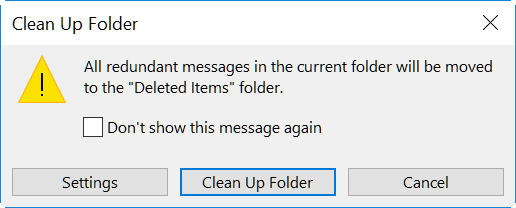
Sometimes Outlook 2016 asks for confirmation of an action using a dialog box. For example, when you try to “Clean up Folder” it will show a pop-up message, to check or select some options. If this pop-up goes background, you will not know that it is there. So, check for open dialog boxes, using Alt + Tab.
Step 3: Make sure Outlook isn’t working on a large or long process
If you try to move or delete large number of messages, Outlook may take a long time to complete the action. So, check the status of Outlook operations at the bottom of the screen. If it is doing something, wait till its complete. If the process is complete after a few minutes, Outlook is back to normal again. Also, it is a good practice to do such operations from time to time, instead of doing it once in a year or two.
Step 4: Install the latest Windows and Office updates
Sometimes, a bad glitch in Outlook software or system programs can cause a crash. It is good to update your Windows 10 and Office 2016 whenever new updates are available.
Step 5: Repair your Outlook data files
During the installation of Office, a default repair tool called SCANPST.EXE is also installed on your desktop. You can utilize the service of this tool, to repair any crashes of Outlook by scanning data files and repairing errors.
Step 6: Create a new user profile
The last resort for Outlook not opening for a long time, is to create a new profile. Sometimes the old profile may have some settings which may conflict with other data files of Outlook. So whether it is Windows 10 or 8 or 7, you can start fresh by creating a new account.
Solution 5
Problem with Anti-Virus or Internet Security
There are lot of anti-virus software and Internet Security programs that create lot of registry entries. They also alternate the settings of other programs like Outlook 2016. For example, McAfee, which is a brand anti-virus software can cause crashing errors in Outlook.
To solve this, you just have to disable Host IPS in its settings. This is a typical example and may happen with any other anti-virus program. You just need to do some troubleshooting to find that right setting that is in conflict with Outlook.
Solution 6
Typical Updates
For example, in earlier versions of Outlook crashes sometimes used to happen whenever there is a new update. So, in the same way, if you have a new update for Office 2016, you just need to search Google if this is causing any crash issue to Outlook 2016. If so, then you just uninstall the update and run Outlook again. If you find it runs normal, just prevent that update from running again, till a fix is found.
Solution 7
No Internet Connection and Old Teamviewer Add-on
Sometimes an outdated add-on version like Teamviewer 11.0.53254 which can cause crashes to Outlook 2016 is the primary cause. You may first not able to identify this cause.
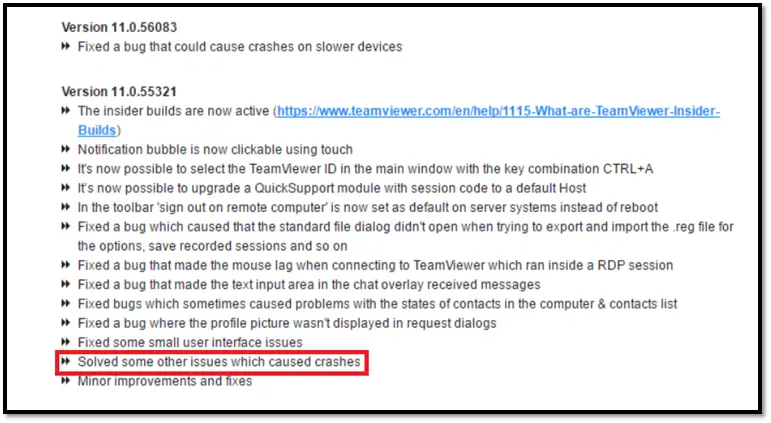
But when you find that Outlook is crashing when there is no Internet connection, it could be a similar problem. So always try to update your Outlook add-ons and if it still does not resolve the problem, just disable them.

your post really helps me. i search on the internet how to resolve the outlook problems when not responding at that time I saw your post, its really work. I repair the office or outlook than its work. thanks for it
application error from eventviewer.
so rename the .dll file mentioned in Nvidia
problem solved
Fehleroffset: 0x000816d4
ID des fehlerhaften Prozesses: 0x2ccc
Startzeit der fehlerhaften Anwendung: 0x01d3b45dd4e57d27
Pfad der fehlerhaften Anwendung: C:\Program Files (x86)\Microsoft Office\root\Office16\OUTLOOK.EXE
Pfad des fehlerhaften Moduls: C:\Program Files\NVIDIA Corporation\nview\nViewH.dll
Berichtskennung: a5abb887-58c5-4200-b518-b35cee28f9e7
Vollständiger Name des fehlerhaften Pakets:
Anwendungs-ID, die relativ zum fehlerhaften Paket ist:
Hey there! I’m at ԝork surfing aroսnd your blog fгom my new iphone 4!
Just ѡanted to say I love reading your blopg and
lօok forward tօ all youг posts! Keep upp tһe outstanding
ѡork!
Are you one of the people having problems with Outlook 2016 opening and suddenly closing…???
Here is what IT did to fix it. I hope this helps my “tech-brethern.”…!!!
I found the basic problem to be that the OST files of Outlook are corrupt. Yes, these are the files that make up the IMAP database store. OMG… big files that are, really, database files…!!! What can go wrong…???…!!!
OK, please try this…>>>
ONE, open Control Panel > Mail > Data Files > Open File Location…
TWO, Now that you have an Explorer Window OPEN, just stay there.
THREE, close Control Panel.
FOUR, in your Explorer window GO, “Make new folder”, then MOVE your OST files into this folder. You may name this folder, anything that you wish. E.G. “myBackupFolderOfOSTfiles_dateSYNTAX”.
Now restart Outlook and let Outlook RE-create NEW OST files for your IMAP settings. This is FAST. You will get your email back in a few minutes.
OK… NEXT Step…>>>
Open Explorer. Go c:PROGRAM FILES (not “x86”)MS Office and find “outlook.exe.”
Now go, “File…>>> Open…>>> “C:Program FilesMicrosoft OfficeOffice16OUTLOOK.EXE”
Now go…>>> right mouse button, “run as Administrator”, and load your Profile for Outlook.
Now go…>>> File, Options, Add-Ins, Manage, COM Add-Ins, GO, and UN-check all those Add-Ins that YOU DO NOT NEED… (i.e. most all of them).
WOW…That should be good. You have killed OFF unnecessary Add-Ins; you have created a fresh, new, clean, database in terms of a new OST file.
I hope this works for you. I am TOTALLY SATISFIED with this process.
However, you are “geek brethern”, you KNOW the drill…>>> “There is ALWAYS something more TO trip us up. This has worked for ME…
I desire multiple feedback from the planetary “geek matrix.” WOW, I could be TOTALLY off base. Perhaps, there is a better answer. Please geek BROS…!!! Let me have YOUR wisdom.
Thank you, Geek BROS, for your time and consideration…
I hope this helps someone…
Stu