Author: Palla Sridhar

Palla Sridhar is the CEO of DigiPalla IT Services LLP and a seasoned ex-IT professional with over 16 years of blogging experience. He specializes in Microsoft products, including Windows 10, Windows 11, and Office 365, with deep expertise in error code solutions, computer repair, and IT troubleshooting. He publishes practical guides that help everyday users and professionals solve real tech problems quickly and confidently.
  • How to Stop Edge Deleted Favorites Reappear again?

    How to Stop Edge Deleted Favorites Reappear again?

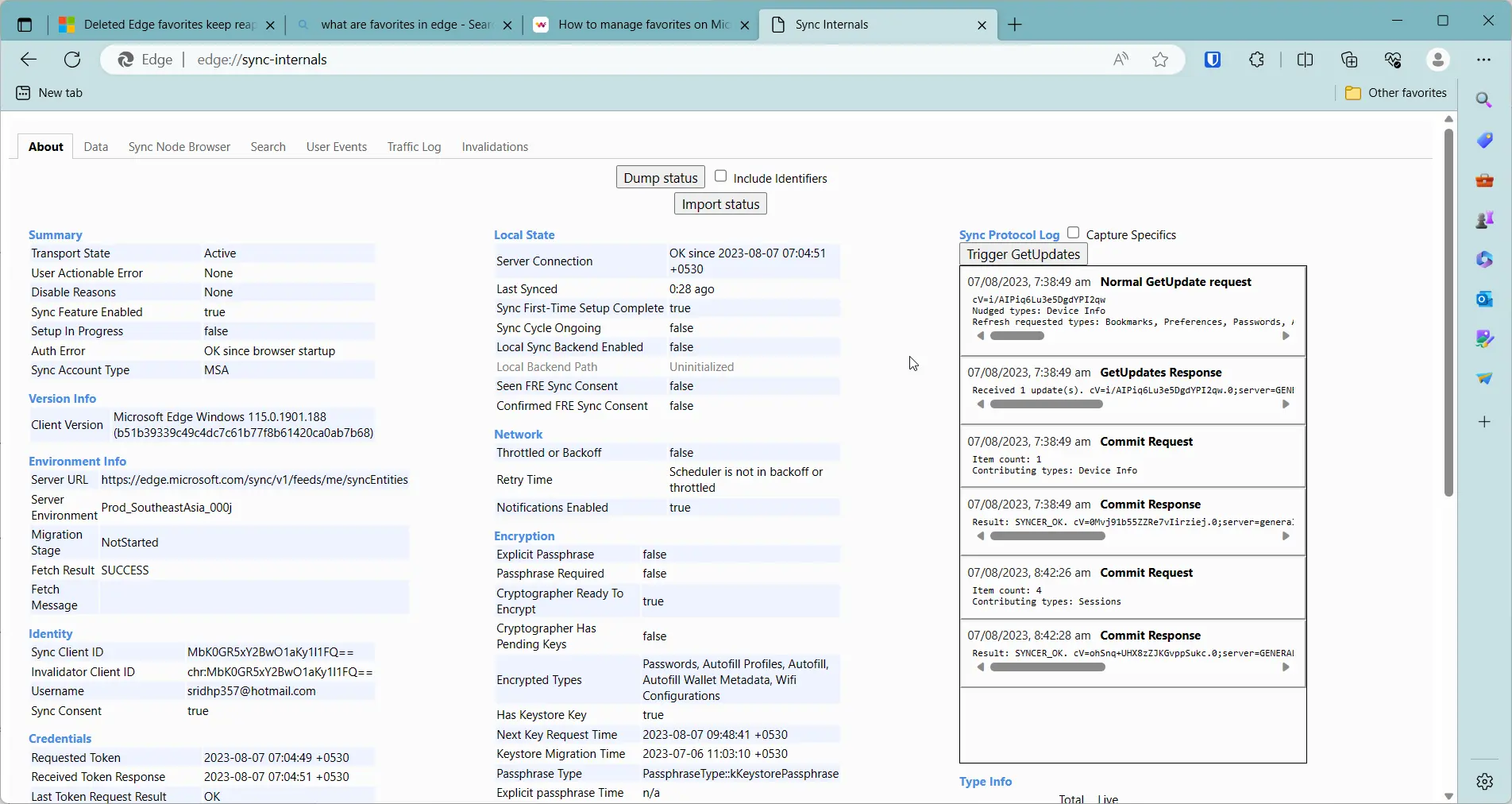
    Microsoft Edge has been redesigned to have fast, elegant and subtle features. Favorites are its integral part. Bookmarks is its other name. Bing and Edge are used on many devices. It includes Windows and Android. The latest innovation of 2023 is that you can sync your favorites across your devices. Once you save them on…
  • Your Connection to this site is not Secure – How to Fix in Chrome

    Your Connection to this site is not Secure – How to Fix in Chrome

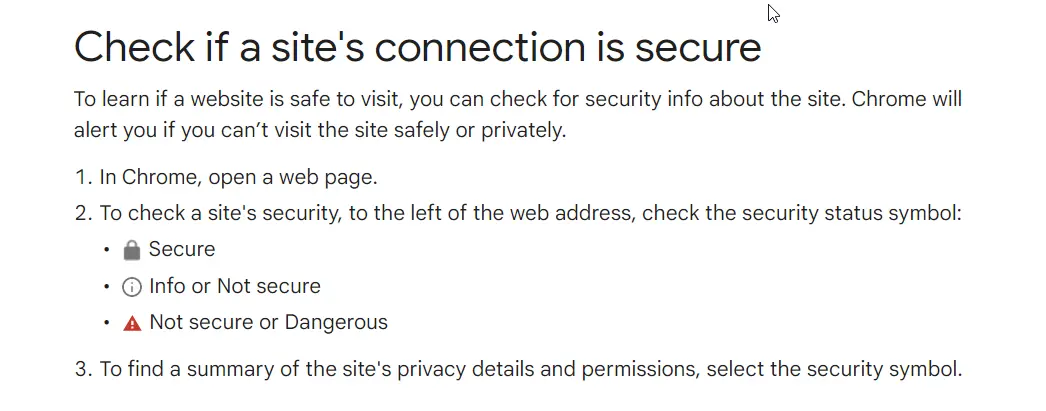
    The web world is full of phishers and scammers. Whether you open a site on a laptop or mobile, security is an important issue. Browsers are the common way to open a site. Chrome, Edge, Firefox have made safety an important concern in their development. But the same sword can be a hindrance to your…

  • How to Fix “Connection Not Secure” in Microsoft Edge—12 Working Solutions

    How to Fix “Connection Not Secure” in Microsoft Edge—12 Working Solutions

    Seeing the “connection not secure” Edge warning in Microsoft Edge on Windows 10 or Windows 11 is confusing for most users. The browser says, “Your connection is not secure,” but the website might actually be fine. In many cases, the problem is an Edge TLS/SSL certificate error on Windows 11, mixed content, or a time…

  • Common Causes and 6 General Fixes for High Memory Usage after Windows 10/11 Update

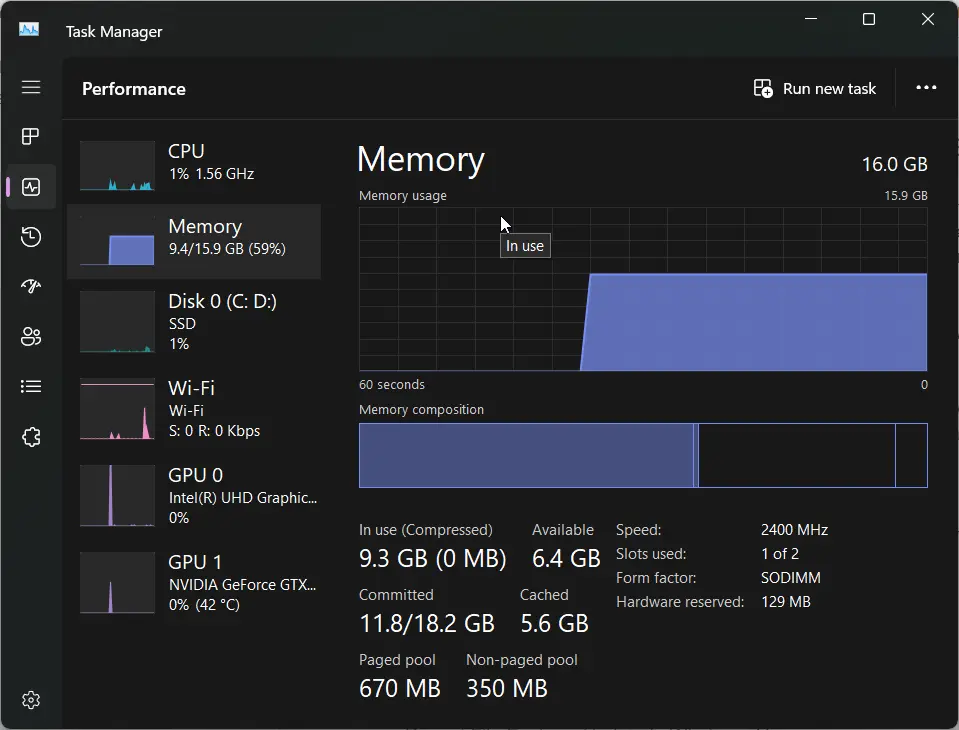
    Common Causes and 6 General Fixes for High Memory Usage after Windows 10/11 Update

    Microsoft releases Windows updates for Office products and OS. Most of them are done to fix security patches. Every month there are cumulative and optional updates. In addition, new hardware also comes with automatic updates.  These include drivers, graphic cards, intel systems etc.  But what happens when the updates cause awry or problems instead of…

  • How to Fix Microsoft Store Download Stuck on Pending, Queued, or Installing

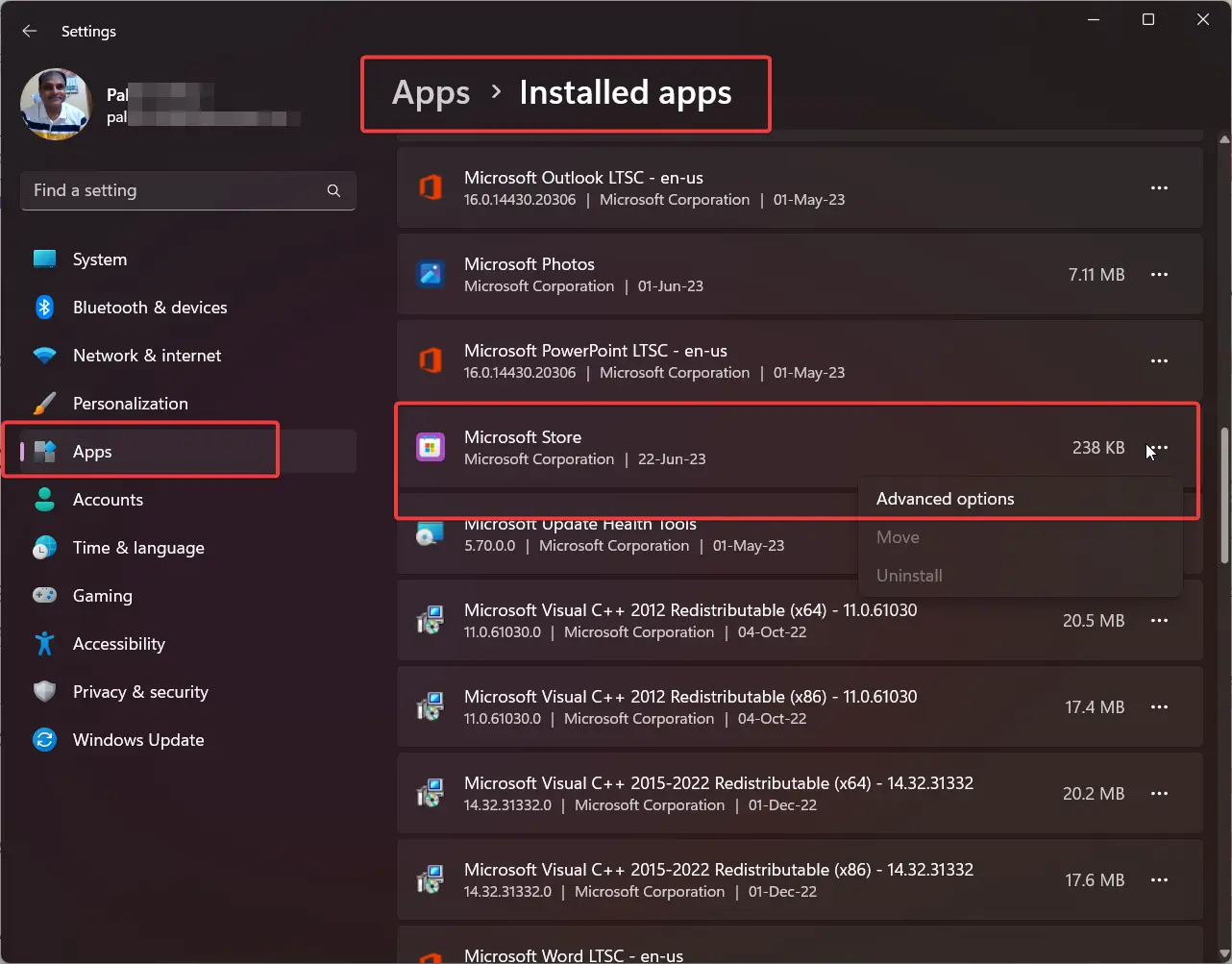
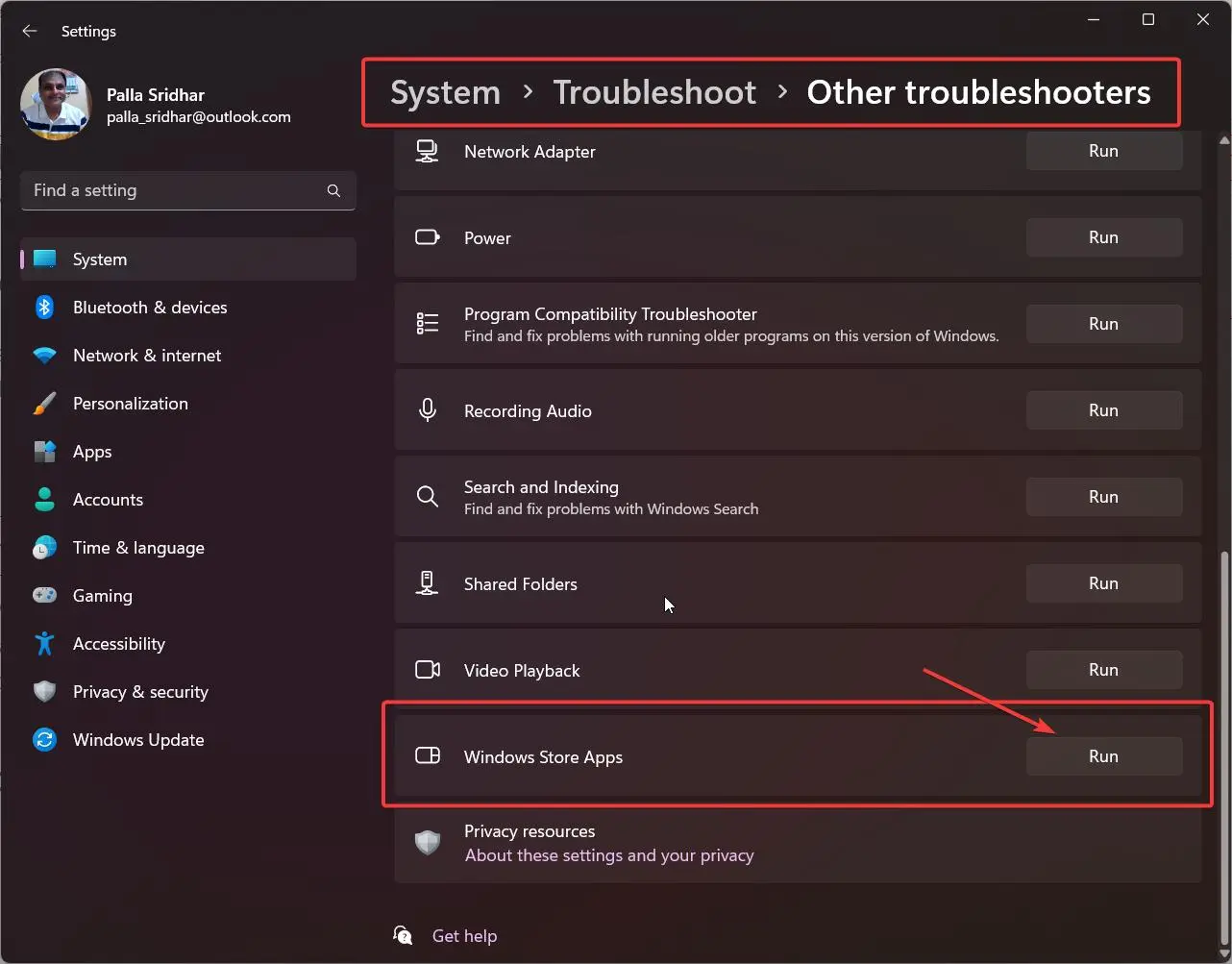
    How to Fix Microsoft Store Download Stuck on Pending, Queued, or Installing

    If a Microsoft Store download stuck on your Windows 11 or Windows 10 PC, you’re not dealing with a hardware problem—and you definitely don’t need to reinstall Windows. This is one of the most commonly reported issues by users across the United States, Europe, and India, and in most cases it comes down to a…

  • Create New Profile Windows 10 – Microsoft or Local Account

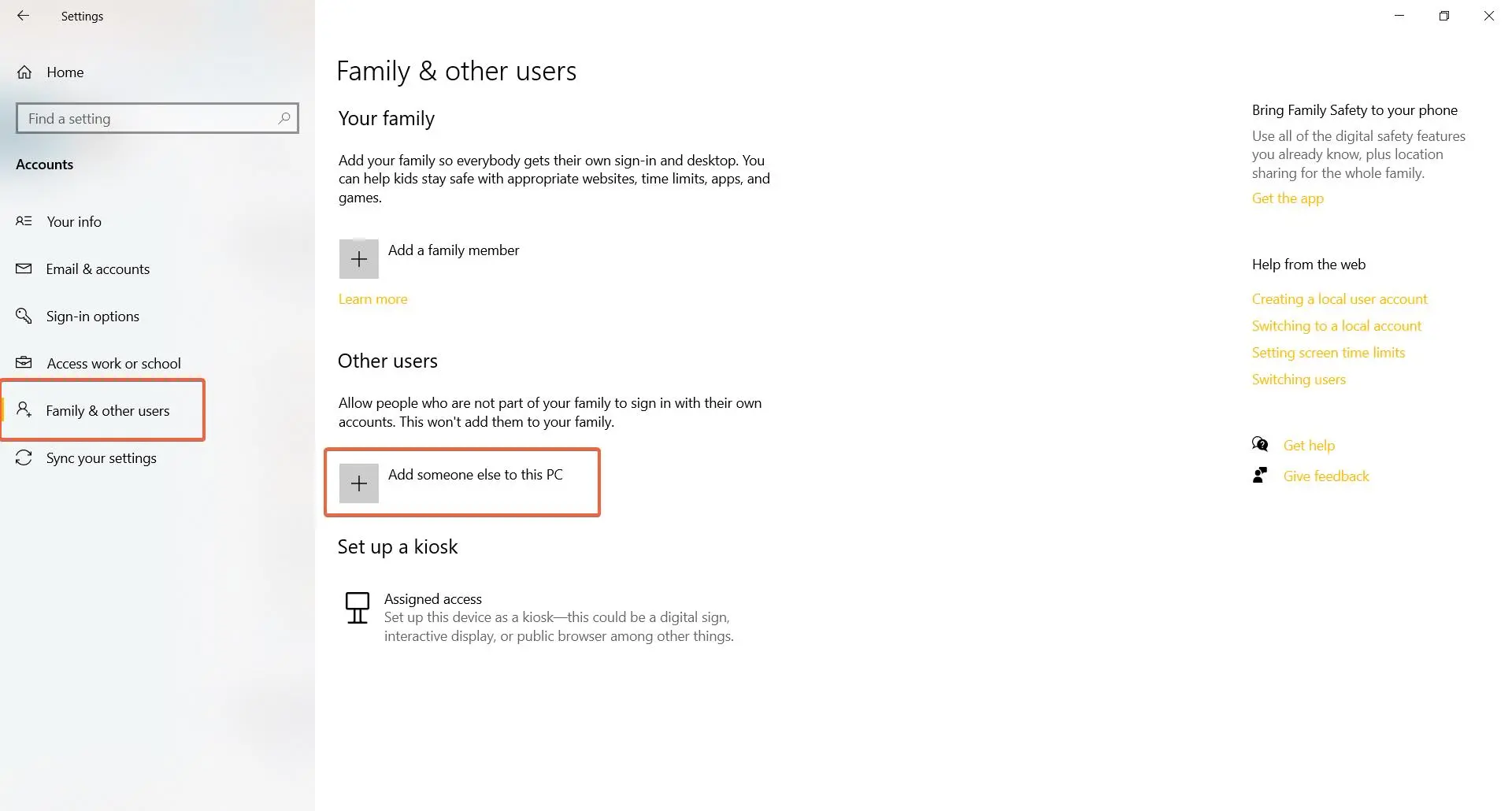
    Create New Profile Windows 10 – Microsoft or Local Account

    If you share your Windows 10 PC with other people, you might want to create a new profile for each user. A profile is a set of settings and preferences that define how a user interacts with the PC, such as desktop background, theme, apps, and more. By creating a new profile, you can ensure…

  • Issues with Mail App in Windows 11 – 6 Fix

    Issues with Mail App in Windows 11 – 6 Fix

    If you use Windows 11, you might have encountered some problems with the Mail app, such as not being able to open it, send or receive emails, or sync your accounts. These issues can be frustrating and affect your productivity and communication. Fortunately, there are some possible solutions that you can try to fix the…

  • Skype Bandwidth: What You Need to Know

    Skype Bandwidth: What You Need to Know

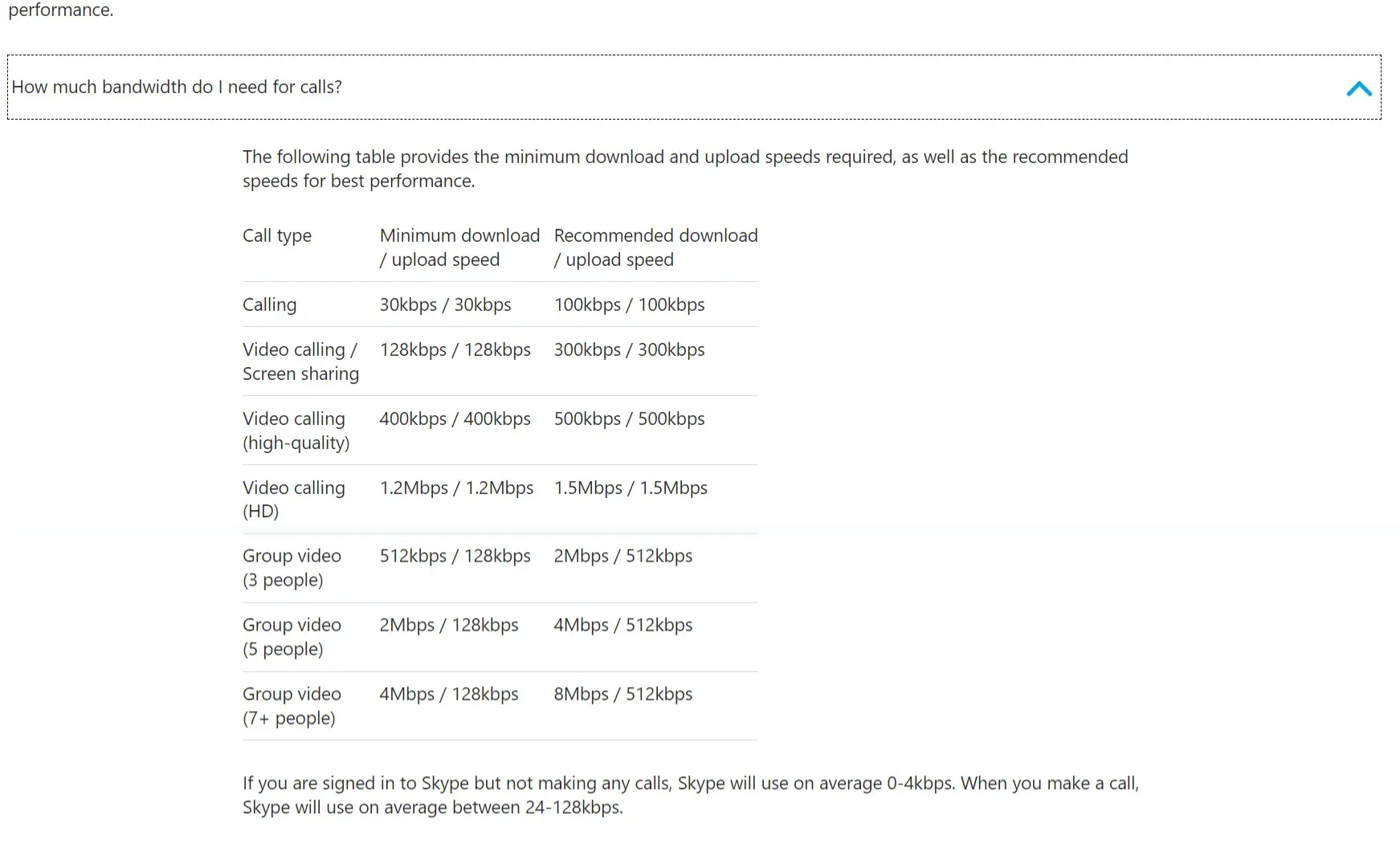
    Skype is one of the most popular applications for video calling, but it also requires a good amount of bandwidth to deliver high-quality video and audio. In this blog post, we will explain how much bandwidth Skype needs for different types of calls. How you can improve your Skype experience by optimizing your internet connection….

  • Acer Bluetooth Driver – Download for Windows 10 or 8.1 or 7

    Acer Bluetooth Driver – Download for Windows 10 or 8.1 or 7

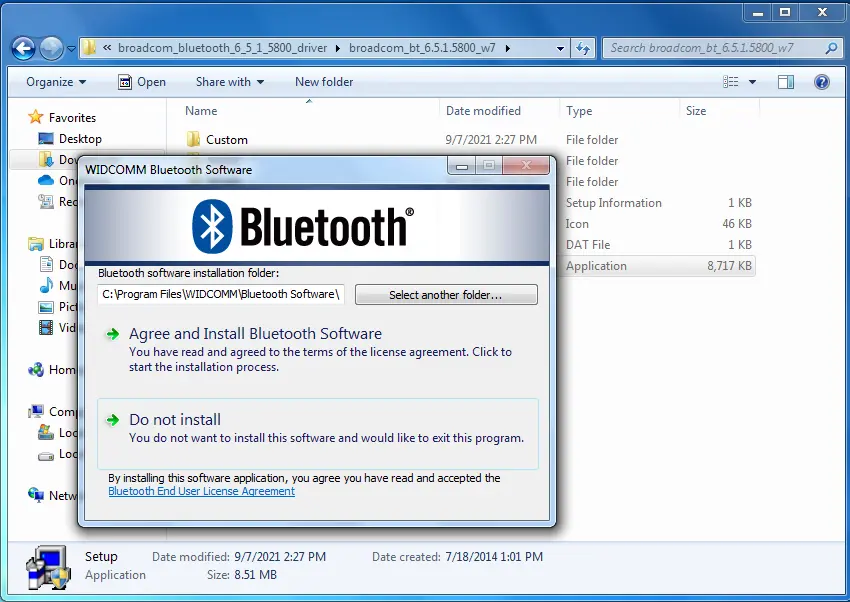
    Acer Bluetooth driver is necessary if you installing a new Windows 10 or 7 OS. Acer has different Bluetooth devices attached for different models. There are wireless headphones, keyboards, mice, speakers etc. . Intel, Atheros, Realtek and Broadcom Bluetooth are the commonly used brands on Acer laptops. Acer Aspire Bluetooth driver are required in Windows…