Affiliate Disclosure: As an Amazon Associate, WindowsTechIt earns from qualifying purchases. When you click our laptop recommendations and buy through our links, we may earn a small commission at zero absolute cost to you.
The LG 27UQ850 spec sheet lists 54 watts typical power. Its EU energy label lists 26 kWh per 1,000 hours, which works out to 26 watts. Same screen, two very different numbers, and that gap is exactly why shopping for energy efficient 4K USB-C monitors for a home office is harder than it should be.
The two figures come from different test conditions. The label measures the screen in standard (SDR) mode at a set brightness; a “typical” figure may be taken brighter, with HDR or with extra load. Retailers in the US and India usually print whatever the supplier sends, so listings that look twice as hungry may not be.
So I ranked six 27-inch 4K USB-C monitors by their official label and ENERGY STAR watts instead of marketing copy.
You will see how to check any model on the EU’s public EPREL database from any country, what one-cable laptop charging actually costs in electricity, and which Windows 11 settings stop a monitor drawing power after you walk away. It is the same label-first check I recommend before any display purchase.
The short list
- Lowest watts: Lenovo ThinkVision T27UD-40 – 18 W typical, EU class E (22 kWh/1000h), 100W USB-C charging.
- Lowest watts for colour work: ASUS ProArt PA279CRV – EU class E (22 kWh/1000h), 96W USB-C.
- Best all-round office hub: Dell Pro 27 Plus P2725QE – 19.6 W typical, 90W USB-C, Ethernet, 100 Hz.
- Best value in India: Dell 27 Plus S2725QC – about ₹31,000, 65W USB-C, 120 Hz.
- Best for one-cable Thunderbolt desks: Dell UltraSharp U2725QE – 140W charging, but watch HDR and standby draw.

How to read a monitor’s real wattage
Most buying guides skip this, and it is the part that decides whether a monitor is really low-wattage.
Typical, on-mode and maximum watts
A monitor spec sheet often shows three numbers:
- Maximum power – the worst case, including USB-C charging and USB devices. A USB-C hub monitor’s maximum is huge because it includes laptop charging. The Dell P2725QE lists 200 W maximum, for example, yet its typical figure is under 20 W.
- Typical power – a brand’s own everyday figure. Test conditions vary by brand, so it is not comparable across brands.
- On-mode power (EU label or ENERGY STAR) – a standardised test. This is the number to compare.
My rule: ignore maximum watts on a USB-C monitor. Compare label or ENERGY STAR on-mode figures only.
SDR vs HDR on the EU energy label
The EU label shows two figures: SDR and HDR, each in kWh per 1,000 hours. The European Commission confirms that this kWh/1000h figure is the same value as the power draw in watts. So “22 kWh/1000h” simply means about 22 W.
HDR changes everything. The Dell U2725QE draws 25.4 W in SDR but 43.5 W in HDR on its EU label. That is about 70% more power for the same screen.
Also note that the A–G scale was reset in March 2021. In my research, the most efficient 27-inch 4K monitors sit in class E; most sit in class F. A class F 4K monitor is not a bad buy, because the scale is strict. What matters is the watt number.
Check any model on EPREL, even outside Europe
Here is a tip most US and Indian buyers never use. The EU’s EPREL database (eprel.ec.europa.eu) publishes the official label for every display sold in Europe, and anyone can view it.
- Search the exact model number on EPREL or scan the QR code on any EU listing.
- Read On mode power demand in SDR and in HDR.
- Note Standby and Networked standby power.
Since most global monitors share the same panel and electronics across regions, this is the most reliable power data you can get anywhere. For US-specific data, the ENERGY STAR product finder (energystar.gov) lists on-mode, sleep and off watts for certified models.
Low-wattage 4K monitor leaderboard
All six are 27-inch 4K (3840 x 2160) IPS monitors with USB-C video and charging. Sorted by official SDR power.
| Monitor | EU SDR power | EU HDR power | Other official figure | USB-C charging | Refresh |
|---|---|---|---|---|---|
| Lenovo ThinkVision T27UD-40 | 22 W (class E) | 30 W | 18 W typical; ENERGY STAR 17.9 W | Up to 100W | 60 Hz |
| ASUS ProArt PA279CRV | 22 W (class E) | 34 W | 26.14 W (ASUS spec) | 96W | 60 Hz |
| Dell 27 Plus S2725QC | 25 W (class F) | 37 W | 21.0 W typical | 65W | 120 Hz |
| Dell UltraSharp U2725QE | 25.4 W (class F) | 43.5 W | ENERGY STAR 25.1 W | 140W (Thunderbolt 4) | 120 Hz |
| Dell Pro 27 Plus P2725QE | 26 W (class F) | n/a | 19.6 W typical | 90W | 100 Hz |
| LG 27UQ850 | 26 W (class F) | 44 W | 54 W “typical” | 90W | 60 Hz |
The spread between the most and least efficient is only about 4 W in SDR. The real differences come from HDR, standby behaviour and how you set the monitor up.
The six monitors, one by one
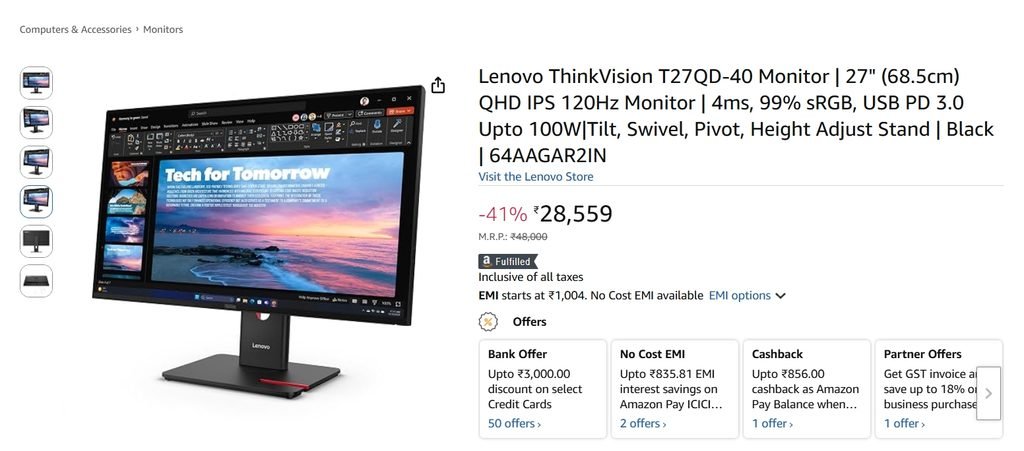
Lenovo ThinkVision T27UD-40
This is the lowest-wattage 4K USB-C monitor I found with full official data. Lenovo lists 18 W typical, an ENERGY STAR on-mode figure of 17.9 W, and EU class E at 22 kWh/1000h in SDR.
It also has the strongest laptop charging here at up to 100W, plus Lenovo’s Smart Power feature, which manages total power between the screen and the hub.
- Good for: home offices with a power-hungry laptop that still want the lowest monitor draw.
- Trade-off: 60 Hz only, and availability varies by region.
ASUS ProArt PA279CRV
The ProArt shares the class E rating at 22 kWh/1000h in SDR, which is impressive for a monitor with 99% DCI-P3 and 99% Adobe RGB colour. ASUS’s own spec says 26.14 W, another example of brand figures running higher than label figures.
It has 96W USB-C charging and a hard power switch with 0 W off-mode, so it draws nothing when switched off at the button.
- Good for: photo and video work where colour accuracy matters.
- Trade-off: 60 Hz; HDR raises draw to 34 W.
Dell Pro 27 Plus P2725QE
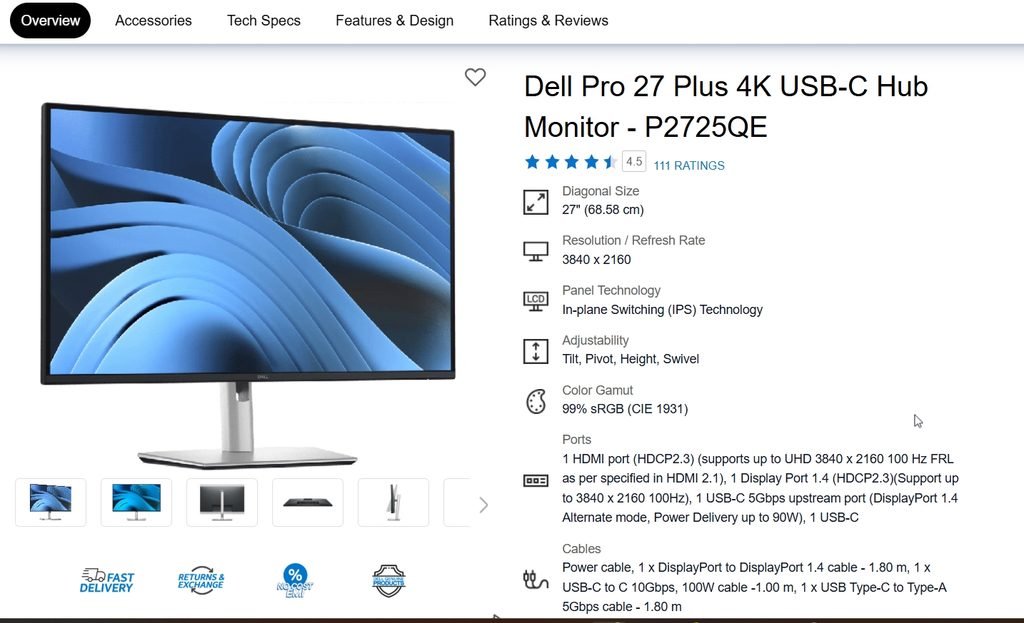
Dell’s business-line 4K hub monitor lists 19.6 W typical, with a 26 kWh/1000h EU figure. It has 90W USB-C charging, RJ45 Ethernet and a 100 Hz panel, so one cable gives your laptop power, wired network and a smooth 4K screen.
It does not offer an HDR mode on its label, which removes the biggest power trap.
- Good for: Windows laptop users who want a full dock in the monitor.
- Trade-off: 350-nit brightness is fine indoors but not for very bright rooms.
Dell 27 Plus S2725QC
The S2725QC is the value pick. Dell lists 21.0 W typical and 25 kWh/1000h in SDR, with 37 kWh/1000h in HDR. It adds 120 Hz, built-in 5 W speakers and 65W USB-C charging.
In India it sells for about ₹31,000, making it the cheapest efficient 4K USB-C monitor in this list.
- Good for: students and home users with ultrabooks that charge at 65W or less.
- Trade-off: 65W may not keep a high-performance laptop charged under load.
Dell UltraSharp U2725QE
This is the premium hub: Thunderbolt 4 with up to 140W charging, a KVM switch and 2.5GbE Ethernet. In SDR it is efficient at 25.4 W. Its ENERGY STAR certificate shows 25.1 W.
Two catches matter for power. HDR mode raises draw to 43.5 W, and its networked standby figure is 1.5 W, five times its 0.3 W off-mode figure.
- Good for: one-cable Thunderbolt desks with MacBook Pro-class or workstation laptops.
- Trade-off: turn off HDR and network standby features you do not use.
LG 27UQ850 (a lesson in spec sheets)
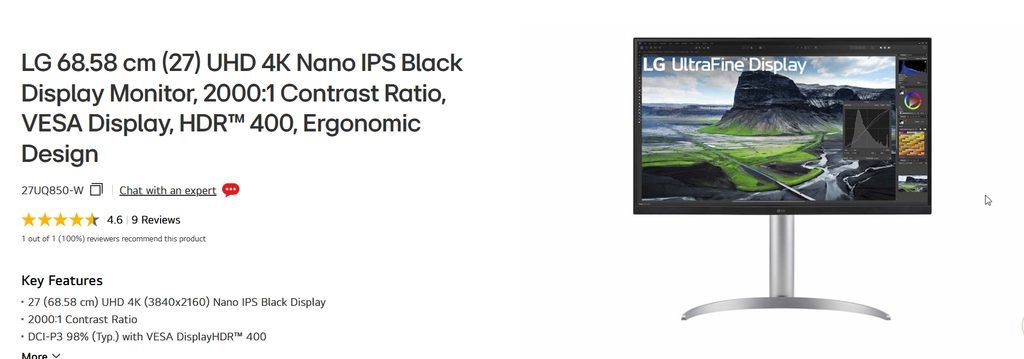
I include the LG because it explains the whole problem. Retail listings show 54 W typical. Its EU label shows 26 kWh/1000h in SDR and 44 kWh/1000h in HDR.
In practice it sits with the Dell monitors in SDR. Do not reject it, or any monitor, based on a “typical” figure alone.
What a 4K USB-C monitor costs you in electricity
Use this simple formula:
Watts × hours per day × working days ÷ 1,000 = kWh per year
For a home office running 8 hours a day, 250 days a year (2,000 hours):
| Scenario | Power | kWh per year |
|---|---|---|
| T27UD-40 in SDR | 22 W | 44 kWh |
| U2725QE in SDR | 25.4 W | ~51 kWh |
| U2725QE with HDR left on | 43.5 W | 87 kWh |
Multiply by your own tariff. At an example rate of $0.17, €0.30 or ₹8 per kWh, the gap between the best and worst case above is roughly $7, €13 or ₹345 a year per monitor.
The lesson: choosing the right settings saves more than choosing between efficient models. Leaving HDR on costs more than the difference between the best and worst monitor on this list.
Hidden drains: standby, networked standby and HDR
Monitors keep drawing power after your screen goes black. Three things to check:
- Standby (0.3–0.5 W): normal and small.
- Networked standby (up to 1.5 W): monitors with Ethernet or Thunderbolt keep the link alive. At 1.5 W for the roughly 6,760 non-working hours a year, that is about 10 kWh, a fifth of the screen’s SDR use.
- USB charging in standby: many hub monitors keep USB ports powered when the screen sleeps, which keeps phones and accessories charging.
What I recommend: in the monitor’s on-screen menu, turn off any “always-on USB”, “USB-C charging in off mode” or network standby option you do not need. At night, switch the monitor off at its button or a smart plug, especially on models with a hard power switch.
Windows 11 settings that cut monitor power
Turn off HDR when you are not watching HDR
Go to Settings > System > Display, select the external monitor, and switch Use HDR off. Turn it on only for HDR films or games. On the U2725QE, that single toggle is worth about 18 W.
Control brightness from Windows with DDC/CI
Windows 11 usually does not show a brightness slider for external monitors. Lowering brightness is the biggest everyday saving, so make it easy:
- Enable DDC/CI in the monitor’s on-screen menu.
- Install Monitorian from the Microsoft Store, or run
winget install Monitorian -s msstorein Terminal. Twinkle Tray and brand tools (Dell Display and Peripheral Manager, Lenovo Accessories and Display Manager) also work. - Set brightness to about 120–150 nits for a normally lit room; most monitors ship far brighter.
Set a short screen-off timer
Go to Settings > System > Power & battery > Screen, sleep & hibernate timeouts (called Screen and sleep on older builds). Set Turn my screen off after to 5 minutes when plugged in. The monitor drops to standby power when the signal stops.
Find what keeps the display awake
If the monitor never sleeps, open Command Prompt as administrator and run:
powercfg /requestsLook under DISPLAY. A browser tab playing video, a Teams call or a presentation app often holds the screen on. Close it, or override it with powercfg /requestsoverride for a stubborn app.
Problems readers hit with USB-C monitors, and the fixes that worked
These are paraphrased from public forum threads. Read the full threads at the links.
- No signal after sleep (Framework Community, marked SOLVED): A Windows 11 Pro laptop on USB-C showed “no signal” after waking until the cable was replugged. The fix was enabling the monitor’s DP daisy-chain option. Source
- Slow charging from a 4K monitor (HP Community): A Z27 4K owner found the monitor flagged the USB-C cable as unqualified and charged slowly. Disabling the cable warning in the on-screen menu restored the full 65W. Source
- “Slow charger” warning on an EliteBook (HP Community): Windows reported a slow charger only when the monitor used one particular USB-C port; moving the cable to the Thunderbolt port returned normal charging. Fix: try the laptop’s other USB-C port. Source
- Monitor charging the laptop when you don’t want it (ElevenForum): Users found no Windows 11 setting to disable USB-C Power Delivery from a monitor; workarounds were a USB-C to DisplayPort cable or a non-PD port. Source
- No brightness slider for the external screen (Microsoft Tech Community): A Windows 11 user could not dim an external monitor in Settings, but Twinkle Tray worked, confirming DDC/CI support. Source
Buying notes for the US, Europe and India
- United States: check the ENERGY STAR product finder for on-mode and sleep watts. The ENERGY STAR Most Efficient list includes at least one 27-inch 4K LCD rated around 11.7 W, so very efficient 4K panels do exist; check it before you buy.
- Europe and UK: the EU label must appear on every listing. Compare the SDR kWh/1000h figure, then the HDR figure if you watch HDR content. TCO Certified and EPEAT Gold models add sustainability checks.
- India: labels are rarely shown on Amazon.in or Flipkart, so look up the EPREL entry for the same model number. The Dell S2725QC (around ₹31,000) and P2725QE (around ₹37,500–42,100) are the strongest value picks; registered businesses should ask for a GST invoice.
- Everywhere: match USB-C wattage to your laptop’s original charger. 65W suits most ultrabooks; 90–100W suits performance laptops; Thunderbolt 140W suits workstation laptops.
Frequently asked questions
Q: How many watts does a 27-inch 4K monitor use? A: Most 27-inch 4K monitors use about 22–26 W in SDR according to their EU energy labels. The most efficient energy efficient 4K USB-C monitors, such as the Lenovo ThinkVision T27UD-40, list around 18 W typical. HDR can raise draw to 34–44 W, so turning HDR off is the biggest saving.
Q: What is the most energy efficient 4K USB-C monitor in 2026? A: Among models with full official data, the Lenovo ThinkVision T27UD-40 leads with 18 W typical, a 17.9 W ENERGY STAR figure and EU class E. The ASUS ProArt PA279CRV also reaches class E at 22 kWh/1000h, with better colour for creative work.
Q: Does charging my laptop through a USB-C monitor use more power? A: The laptop draws what it needs, whether from its own charger or the monitor. The monitor’s own panel power stays roughly the same. One-cable charging mainly reduces clutter. Choose a monitor whose USB-C wattage matches your laptop’s original charger to avoid slow-charging warnings in Windows.
Q: What does kWh/1000h mean on a monitor energy label? A: It is the energy the monitor uses over 1,000 hours of use. The European Commission notes it is the same number as the power draw in watts, so 22 kWh/1000h means about 22 W. Labels show separate SDR and HDR figures.
Q: Why are most 4K monitors rated class F on the EU energy label? A: The EU reset its A–G scale in March 2021 with much stricter limits, and higher resolutions use more power. Most 27-inch 4K monitors now land in class E or F. A class F 4K monitor can still be a low-wattage 4K monitor; compare the watt figure, not just the letter.
Q: What is the best energy efficient 4K monitor in India? A: The Dell 27 Plus S2725QC is the value pick at about ₹31,000, with 25 kWh/1000h SDR power and 65W USB-C. The Dell Pro 27 Plus P2725QE costs about ₹37,500–42,100 and adds 90W USB-C, Ethernet and a 19.6 W typical draw.
Q: How do I reduce an external monitor’s power use in Windows 11? A: Turn off HDR in Settings > System > Display, lower brightness through DDC/CI with Monitorian or the maker’s app, and set a 5-minute screen-off timer. Run powercfg /requests if the screen never sleeps, and disable always-on USB in the monitor menu.
Q: Is a USB-C monitor more efficient than HDMI? A: The connection type does not change the panel’s power draw. A USB-C monitor adds a hub and charging circuit, but these only draw meaningful power when devices are connected. The benefit is one cable for video, data and charging, which can replace a separate laptop charger on your desk.
Conclusion
Energy efficient 4K USB-C monitors are easier to find once you stop trusting “typical” watts. Read the EU label or ENERGY STAR figure, and the field narrows fast: the Lenovo T27UD-40 and ASUS PA279CRV lead at about 22 W, with the Dell P2725QE and S2725QC close behind.
Then set it up right. HDR off, brightness through DDC/CI, a short screen-off timer and no always-on USB will save more than switching brands.
Bookmark this guide, as I update the leaderboard when new label data appears. What does your monitor’s label say? Share your model and watts in the comments, and pass this to anyone setting up a home office this year.
Related reading: pairing a monitor with a new laptop? See my guide to the best budget refurbished Windows laptops.
Prefer WindowsTechIT in Google?
Add us as a preferred source so our Windows fixes show up more often in your Top Stories.