
Windows 10 is liked by the world compared to its predecessor 8.1. Lot has changed from Metro Interface. Start Menu is back with lot of modifications. Access to System, Devices, Network, Personalization and other settings is still possible through Control Panel. Redmond has introduced a new feature in Windows 10 known as “Settings” which is visible in the Start Menu as “Gears” icon.
Navigate through each setting, to find different options to customize your Windows 10. Before you dive in through, it’s important what is in store for us. So here is a brief overview of “Network & Internet” Settings in Windows 10.

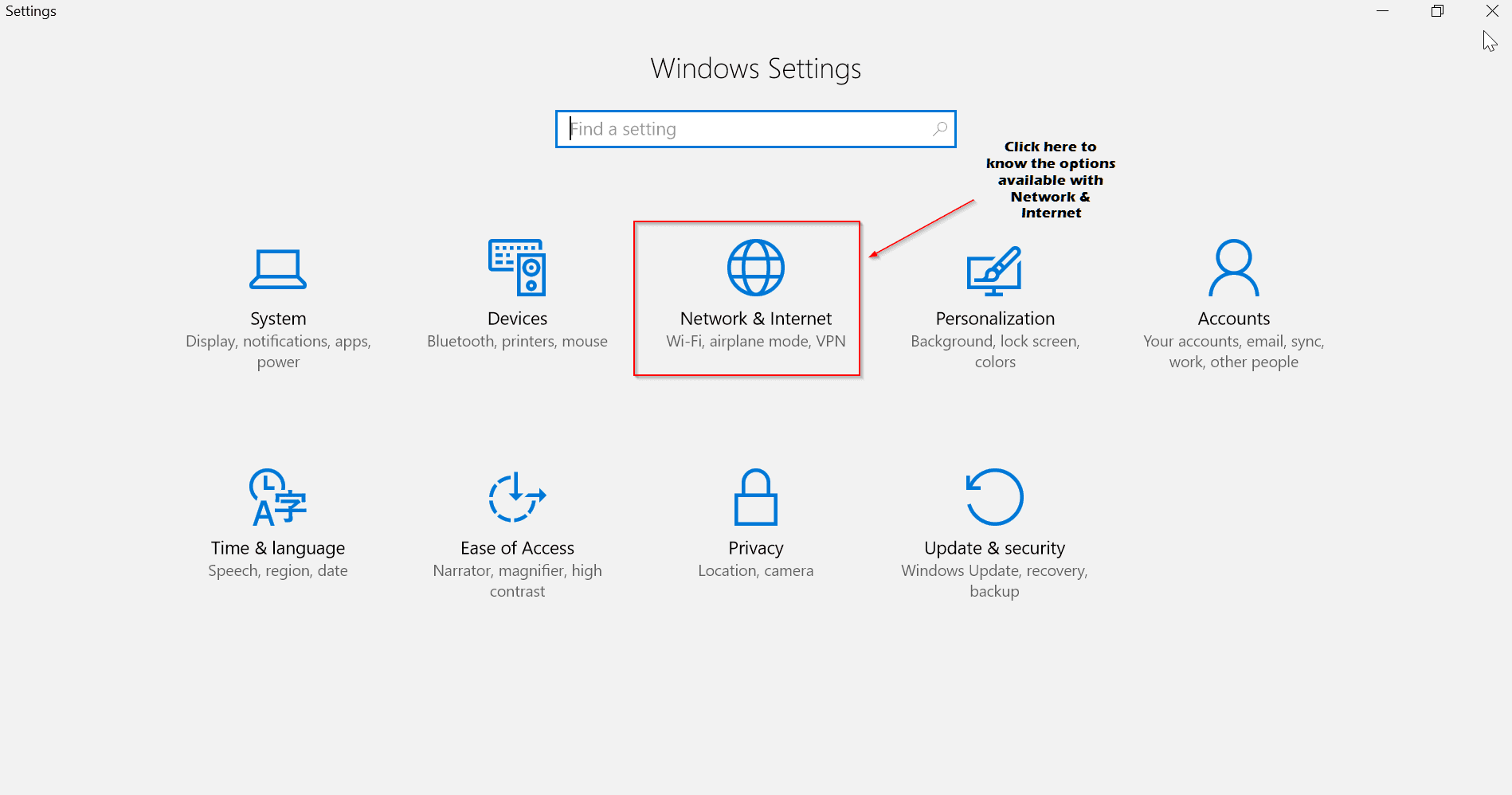
Subset of Settings available under Network & Internet
The following are the left-pane options available under the main item.
-
Status
-
Wi-Fi
-
Ethernet
-
Dial-up
-
VPN
-
Airplane mode
-
Mobile hotspot
-
Data Usage
-
Proxy
Each item has its own importance. So if you are using a modem with a router, then you need to make a few changes with the Wi-Fi settings. On the other side, if you are a legacy user living in the country side, with limited connectivity, then you STILL have the Dial-up option. These settings are not limited to desktop and can also be used with a laptop.
Status

Here you will find the network status. Here I’m connected to my TP-LINK router through Wi-Fi, to get my Internet. The same is shown as a diagram, with laptop, Wi-Fi, globe symbols to indicate your system connected through router to the web. If you have multiple networks, like 2 to 3 Wi-Fi and also a LAN connection which are available for connection, the same can be seen using the option below.
Show available networks
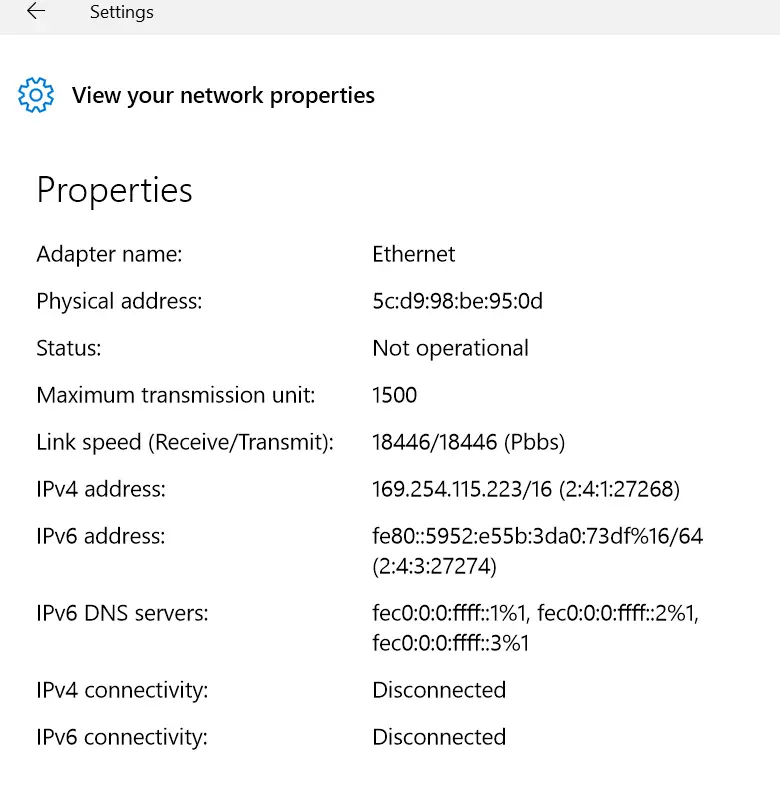
You can also see the network properties to which you are connected.
View your network properties
These are useful, if you want to diagnose any problem in your connection or copy these properties to any other system. It will also show the other available adapters that are present. You can see their status also. Since Wi-Fi adapter only is operational for my system, that is indicated in the list. You can see other properties like –
- Adapter name
- Physical address
- Status
- Maximum transmission limit
- Link speed (Receive/Transmit)
- IPv4 address
- IPv6 address
- IPv6 DNS servers
- IPv4 connectivity
- IPv6 connectivity Etc.
Generally for Ethernet (Wired) adapters, you will get the above. Also the link speed is mentioned in Pbbs. The status field will show “Operational” if that particular adapter is working or “Not Operational” if it’s not working. If you are using an Wi-Fi network, you will also get details like DHCP lease etc.
Under this category, you can find other settings like –
- HomeGroup
- Network troubleshooter
- Change adapter options
- Change advanced sharing options
- Windows Firewall
- Network reset
The troubleshooter option is useful, if you are not able to connect to the Internet. This will try to reset the adapter or provide some fix to your network problems etc. These options are also available through Control Panel.
Windows Firewall is the same old default security option available in other old OS like 7, 8 and 8.1. You can set Inbound and Outbound rules, so as to stop any applications or apps from accessing the internet. Also if you have any other third-party Firewall, you also turn it off.
Network reset is another problem-fixer for your Internet connectivity problems. If there are many network adapters installed on your computer or if you have changed their settings or if you have uninstalled them, then there are some junk left over in your system cache or somewhere else. This option will reinstall all your network adapters and set their components to the default settings. If you have VPN etc installed, you need to reinstall again.
Wi-Fi

This option will only be available if you are connected wirelessly like through a router. This will be set to “On” if you are using its adapter. The “network name” and its connection status are available here. There are other options like –
- Show available networks
- Hardware properties
- Manage known networks
There are some important changes to Network Settings in Windows 10. The following options are also available.
Wi-Fi Sense
This feature is useful in sharing your Wi-Fi with your Facebook or Skype or Outlook friends. If you share your password protected Wi-Fi network access with any of the above, they will automatically be connected to Internet (through your network) when they come in range. Though there was hip-hop of security concerns, the following message speaks the status of its usage.
According to Microsoft, few people actually used the feature and some were actively turning it off. “The cost of updating the code to keep this feature working combined with low usage and low demand made this not worth further investment,” said Gabe Aul, Microsoft’s Windows Insider czar.
(Source: http://www.extremetech.com/computing/228259-new-windows-10-build-kills-controversial-password-sharing-wi-fi-sense)
Hotspot 2.0 networks
This feature has been introduced with Windows 10 Build 14328. This is the new standard, also known as HS2 and Wi-Fi Certified Passpoint, for connecting to Wi-Fi networks in certain public places like airports, restaurants, hotels, railway stations etc. This offers secure and encrypted connection between the client and the access point.
Almost a year ago, Microsoft announced that the company will be bringing Hotspot 2.0 support to Windows 10 Mobile. Today, we can confirm that Microsoft will be adding Hotspot 2.0 support to Windows 10 Mobile with the Redstone release, and this feature should be coming to Insiders in the coming weeks.
(Source: http://mspoweruser.com/windows-10-mobile-redstone-will-get-hotspot-2-0-support-soon/)
Paid Wi-Fi services
These are services that are less secure. If you either don’t have a free Wi-Fi access and no Hotspot nearby, your best alternative is to buy a premium Wi-Fi. Such networks will be listed, if you make this option “On” and you can pay them to get Wi-Fi. These are generally available in rich countries like USA, UK, Germany, Japan, Australia, Canada etc.
There are related settings like –
- Change adapter options
- Change advanced sharing options
- Network and Sharing Center
- HomeGroup
- Windows Firewall
Ethernet, Dial-Up
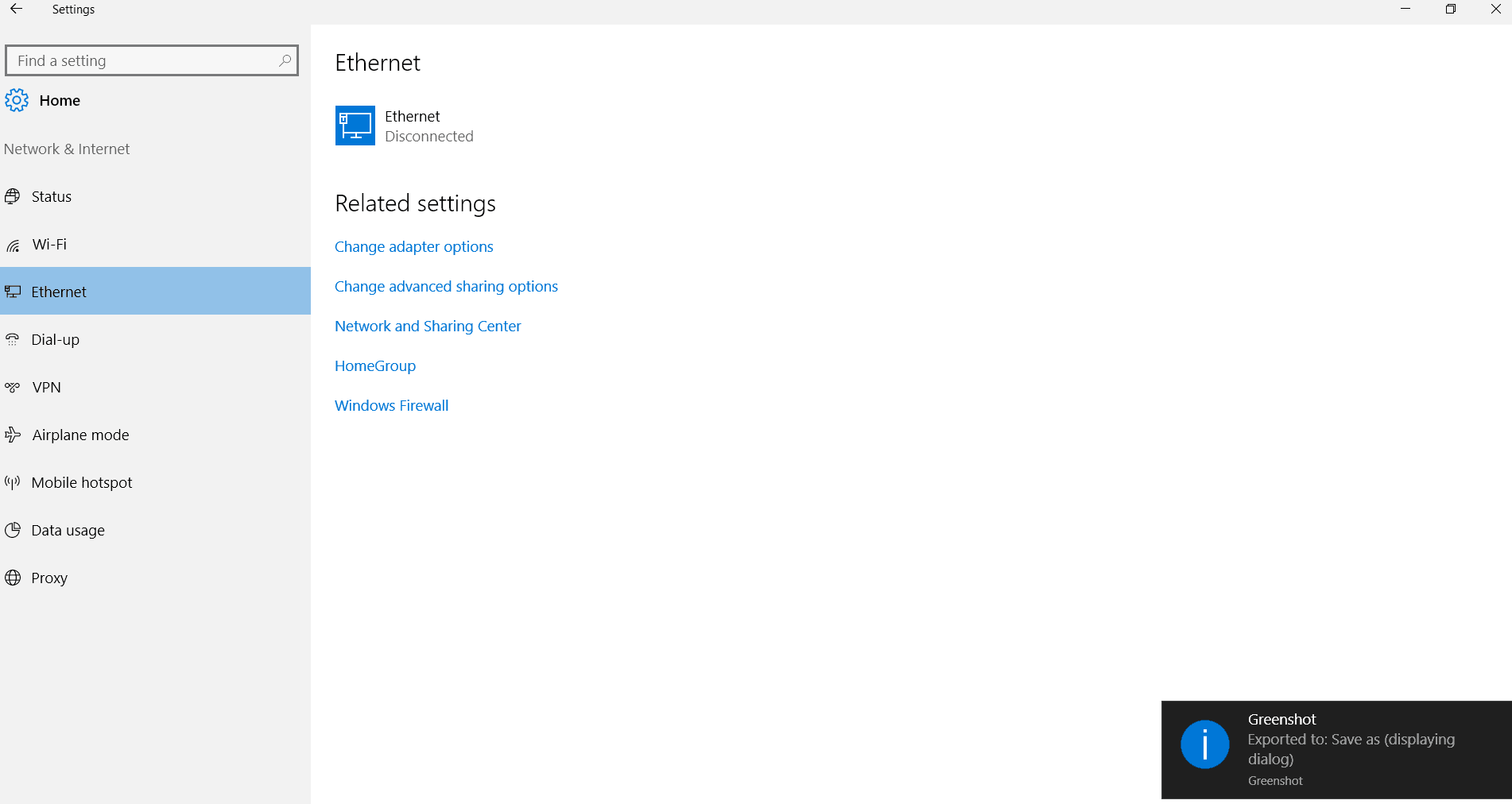

These two options are for little outdated users. If you are still connecting your computer through LAN wire or using your landline phone to connect to Internet, you can play with these options. Most of the times, you can use the following option.
Set up a new connection.
In this way, you can provide the login user credential and other IP settings to access the web. Most of the times, this will open up pop-up window, with old legacy “Control Panel” type of options.
VPN
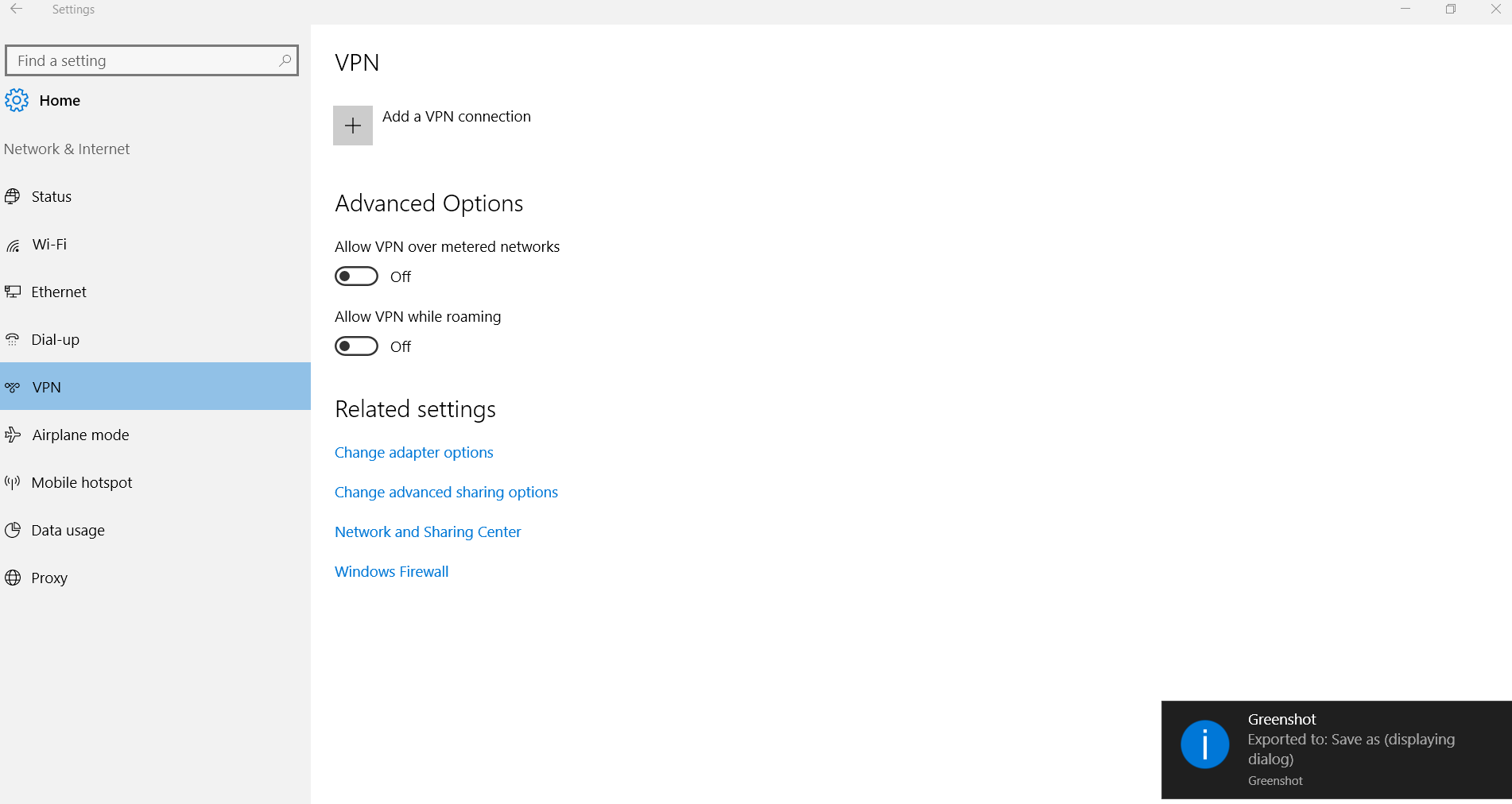
This feature is useful if you would like to connect your computer to your office network. Most of the times, corporate offices would like to have additional security to protect their sensitive data. In such cases, VPN (Virtual Private Network) is one method to added another layer of protection. Even individual or home users, who are concerned about their privacy can buy premium VPN services and get connected.
The following two options are generally available.
Allow VPN over metered networks
Allow VPN while roaming
The other related settings are similar like the above.
Airplane Mode

This feature made into the Windows OS in 8 and 8.1. This is especially useful, if you are travelling through air or planes. There are places or travel locations or passages where you are not supposed to use any electronic signals. Also for privacy purposes, you would like to restrict any connections from reaching you.
Enable this option, to stop all wireless communication, such as Wi-Fi, cellular, and Bluetooth.
Mobile hotspot

In this 2016 days, it’s common to share your Wi-Fi with your mobile devices. So if you are connected to Internet through LAN and would like to share with other devices, this option is good enough. The following options are available.
Share your Internet connection with other devices
Turn on remotely
Allow another device to turn on mobile hotspot. Both devices must have Bluetooth turned on and be paired.
Data usage
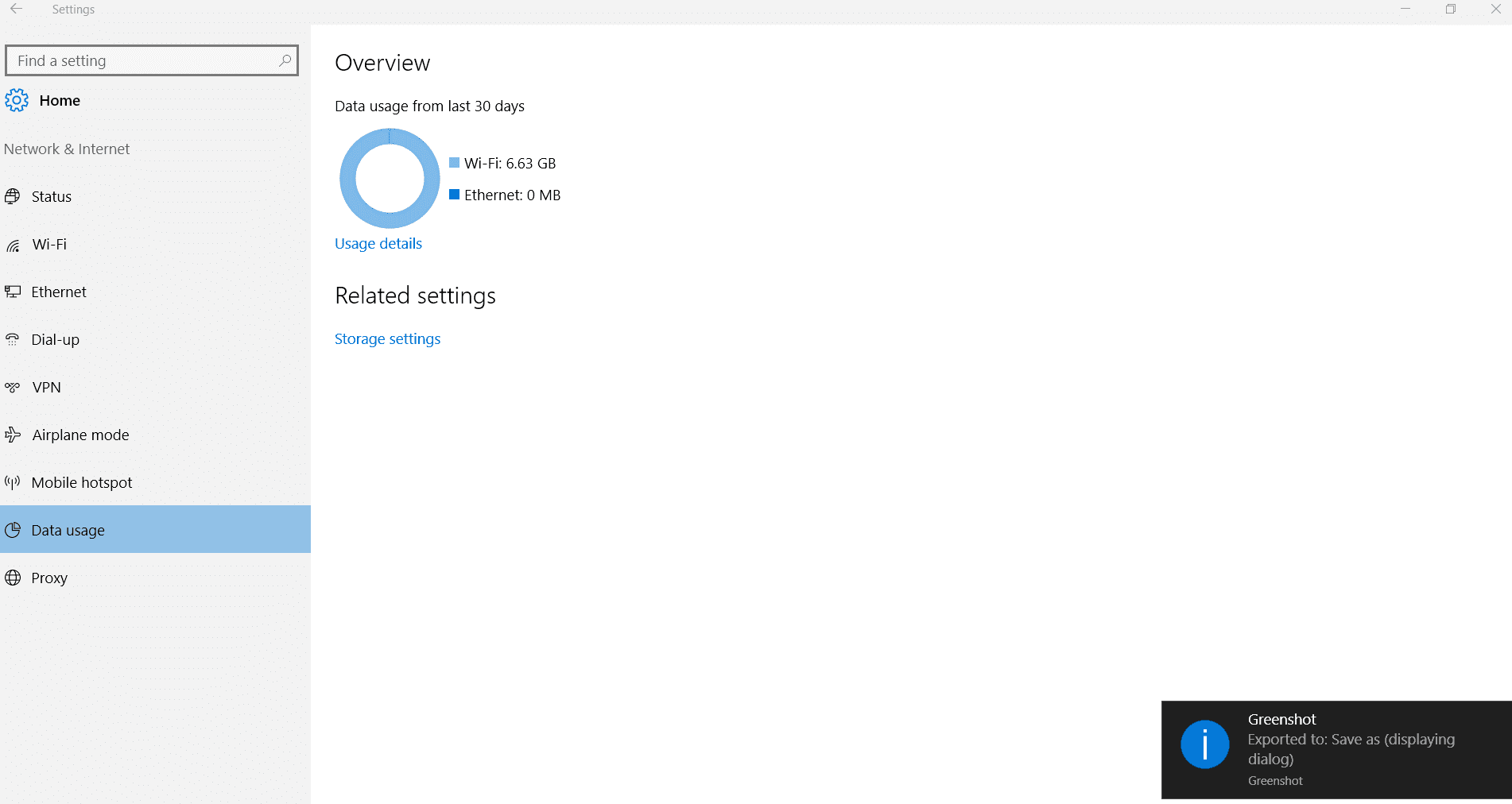
This feature is worth-mentioning. If you have limited bandwidth and want to make sure that you are within budget of MBs, you will know how much data you consumed. Generally, for the last 30 days the amount of Wi-Fi data utilized, will be listed with other adapter connections. If you want detail stats of how much each app or program used your bandwidth, that can also be got using the option “Usage details”.

Proxy

Generally, if you are roaming and would like to connect with your country’s IP, this feature is very much useful. Also, if you want to check any other restricted website, you can get premium proxies of countries like US, UK and Australia. Also if you are behind a firewall, you will be connected through this proxy.
For this you need to enter the address and port number.
Conclusion
Most of the above options are commonly available in Windows 8 and 8.1. But the interface through which you access these network settings, have changed in Windows 10. This is easier and intuitive compared to older ones.
Just by using the toggle button of “On” or “Off”, you can change any of the settings here. But instead of playing with them on a main system, you should try to implement them in your home on a dumb system, to make sure all of them are working. Also it is necessary to take backup of your network connection properties, in-case you mess them up.
Hope you like my article. If you want more people to know about the way, one can utilize network settings in Windows 10, please share this article with your friends.

Nice post!! A real hardwork can be seen in this post. It was so good to read it. Thank you so much for sharing this post.
Regards
Harsh
Sir,
Internet speed on my Windows 10 64-bit initially was 21 Mbps but now after some months its just a crawl. Can you kindly tell me how I can recover the full speed?
Thanks in advance.
My laptop network [ WiFi ] was working perfectly untill we gave it to a repairing person to fix keyboard damage after he gave it back after fixing the keyboard , the wifi was not working and when i looked in the network properties it showed that wifi status as not operational.Can you help me make it operational.
@Alex: 1. Try the Windows Network diagnostic tool.
2. If you are using a router, switch it off and pull the ISP cable from the RJ45 port , WAIT 1 minute. Then re-plug it and switch on.
3. Under Network and Sharing Centre in Control panel, click Change adapter settings. Then disable the Wi-Fi adapter and re-enable it.
Try one by one of the above and let me know if it fixes it.