

Most of the times PC HDMI ports are connected to graphics card known as the APU/GPU (Accelerated Processing Unit/ Graphics processing unit).
You need to place that card in the hardware slot provided in your PC cabinet or laptop case.
For example, the AMD Mobility Radeon HD 5470 GPU may be present in Dell XPS 15 Laptop having Windows 10.
APU is a processor that includes both the CPU and GPU on the same chip. This term was coined by AMD. These are like hybrid processors.
Fixing Your GPU HDMI Port: Get Your Display Back Up and Running
Are you struggling with your graphics card’s HDMI port not working? This issue can be incredibly frustrating, especially when you’re eager to enjoy your favorite games or watch a movie on your high-resolution display.
When you encounter a problem with your GPU’s HDMI port not functioning correctly, it can stem from various factors, such as outdated drivers, loose connections, or even physical damage to the port itself.
In this blog post, we’ll guide you through a series of troubleshooting steps to help you resolve the issue of your HDMI port on your graphics card not working.
From checking your cable connections to updating your drivers and exploring potential hardware issues, we’ll cover all the bases to get your display back up and running. Don’t let a malfunctioning GPU HDMI port ruin your computing experience – read on to discover the solutions you need!
In that case, you connect your HDMI cable directly to the motherboard, where the port is present.
Generally this is not visible to the outside. You just see the PC HDMI port on the back side panel of your cabinet.
So you connect your HDMI cable from PC to the required HD TV or Smart TV which has a receiving port using a cable.
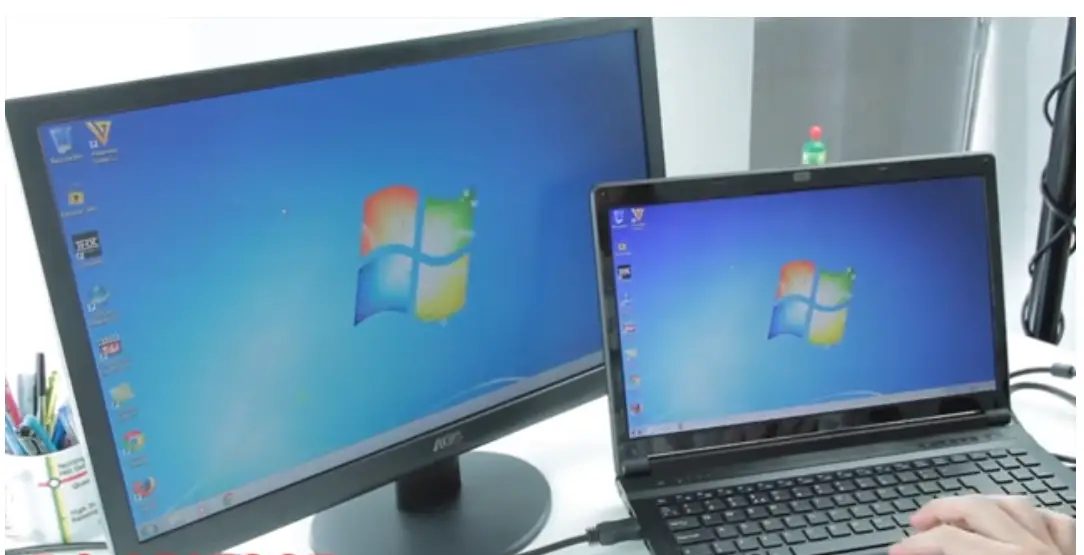
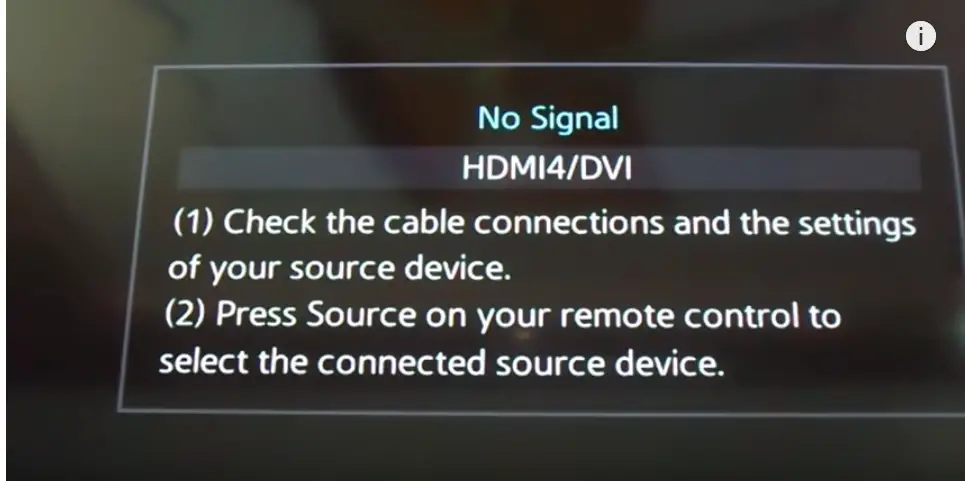
You may get a “No Signal …” kind of error on your monitor device, when your PC HDMI port is having a problem. The reasons could be many in which we listed some of them in our article “Fix Windows 10 HDMI Problems”.
Graphics card HDMI port not working
But if your PC HDMI port is not working, the first thing is you need to check is your GPU card. Open your cabinet and check whether the green lights on the card are glowing are not. Sometimes you see a red and green light. This could be due to loose cables connected to your GPU card to the PC HDMI port.
Another reason why HDMI ports fail to detect secondary monitor devices like HD TV or LCD TV, is due to faulty drivers of the GPU.
Some of the GPU cards which are having problem while updating from Windows 7 to 10 or older version like Anniversary Update are –
- AMD ATI Radeon HD 4200
- ATI Mobility Radeon HD 5000
- AMD Mobility Radeon HD 5470
- Dell Studio XPS 8100 with AMD Radeon HD 7570 graphics card
- Toshiba L500-1ZP (2010) with ATI Mobility Radeon HD 5165
The main reason is that the default driver for GPU in Windows 10 is mostly not compatible with the new graphic cards. For example, if you use AMD GPU then you need to install the latest AMD Catalyst Control Center App. (atleast version 15.7).
This supports WDDM 2.0, DirectX 12, CrossFire Free Sync for gamers etc.
How to Test if GPU HDMI Port Not Working?
There is no specialized equipment like multi-meter or signal tester to test whether the HDMI port is working or not. The best way is always to use the following.
1. PC or laptop with HDMI port.
2. HDMI cable
3. Monitor or HD TV or LED TV.
Out of all these, make sure the last two are working properly. Then you can test if the problem is with your PC HDMI port.
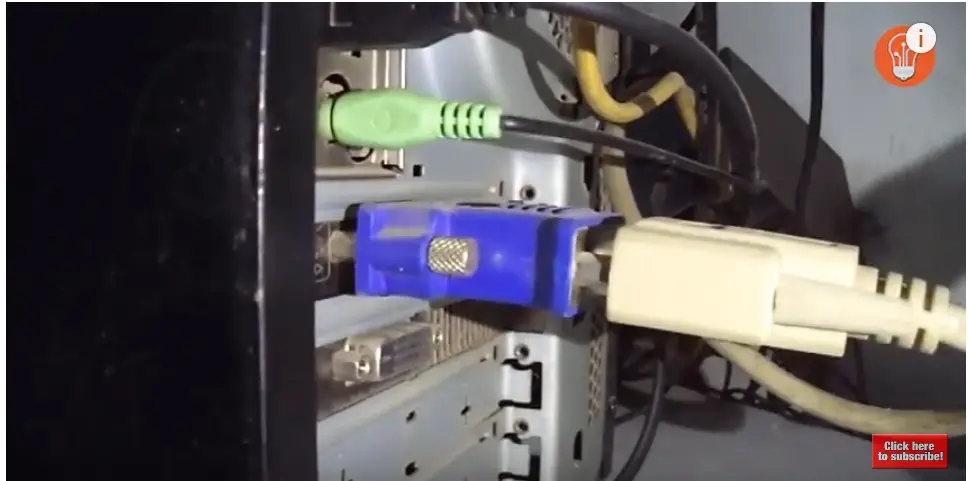
There are many different ways in which you can connect your PC HDMI to your monitor device.
For example, HDMI to VGA Adapter, a VGA cable, and a monitor with VGA connection. This is one of the old methods.
Similarly you can use a DVD adapter and DVI cable etc. But to be more sure use the above configuration.
Now if you get a signal on your display device, it means your PC HDMI port is working.
But if you get “No Signal or blank or handshake and then no signal“, something is wrong with the PC HDMI port.
Sometimes, your HDMI port may be working but no audio or video signal. Then you have to check through the Device Manager, whether that particular device is being displayed or not.
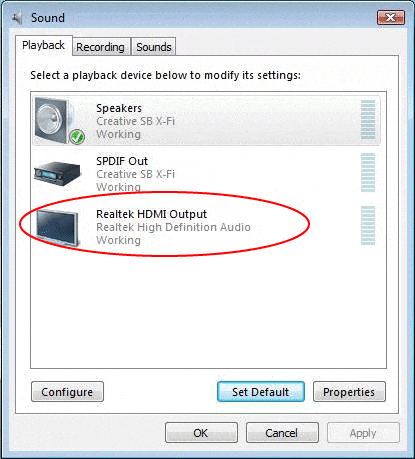
For example, if audio is not coming, then using the Sound item of Control Panel, you can check it. In the Playback tab, you can see the HDMI output device if port is ok. You just have to enable it to default sometimes.
Sometimes, video or picture does not come on the display device. Then if you have a GPU like NVIDIA etc, you have to go through its Control settings.
You may need to select the right settings as per your GPU manual. Also make sure the OSD Menu on your HDMI display device uses the right option or the correct key on the remote.
Problem with Multiple HDMI Ports
For example, many a times, when you connect a GPU, it has the option of 2 or more HDMI ports in PC.
Then to find out cause, like whether its cable or display device or the port, just plug the HDMI cable in the other port.
If it works, then that particular PC port may not be working.
Then you need to take it to a hardware technician to check the connection is proper with the GPU or on-board graphics card like Intel.
Compatibility Problems
Sometimes as I said before, the HDMI port, OS and graphics card may not be compatible with each other.
For example, Windows 10 needs the right drivers and control panel based on the graphics card. In other cases, you may need an adapter or the right driver that connects your HDMI port and GPU.
Fix PC HDMI Port not detecting Secondary Display with AMD Graphics Card
Even after installing the latest display drivers and Catalyst Control Center App, if you have problems, then you need to manually install them using Device Manager.
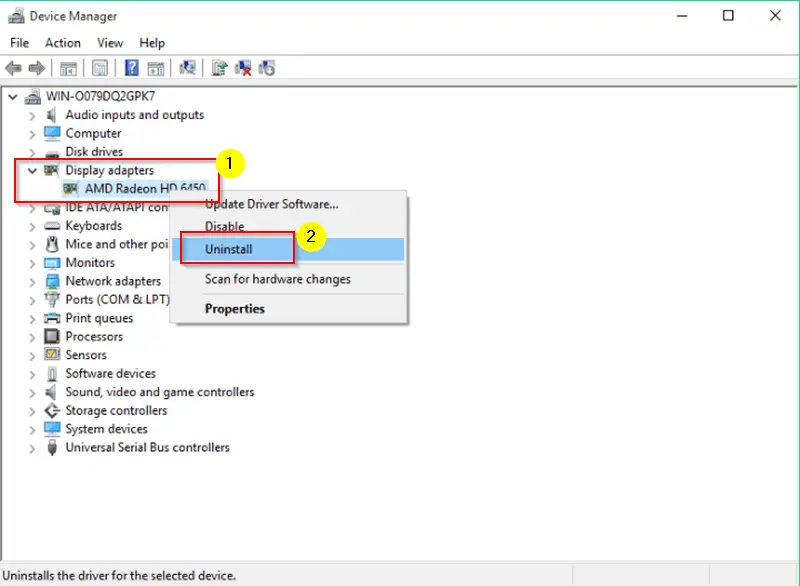
- First, unzip the unpack the legacy GPU driver for AMD devices.
- Select the Browse option to select the location of the driver and find the right .inf (eg. C7156445.inf) and select open.
- Get the model from the list corresponding to your GPU hardware and install it.
- Now install the Catalyst Control Center App using the set up at this location in Windows 10.
C:\Program Files\AMD\CCC2\Install\ccc2_intall.exe (in Windows10 64-Bit )
Now restart the computer and HDMI port should be detected in your Playback devices.
Fix HDMI Port not working for Windows 10 PC using Compatibility Mode
Now your PC HDMI port may be working in Windows 7 or 8.1, but not working after upgrading to 10.
First find the setup files. Right click and select “Troubleshoot compatibility“.
After a few screens, you can see a page where theset two options need to be checked.
1. The program worked in earlier versions of Windows but won’t install or run now
2. The program requires additional permissions.
Now select the Windows version like 7 or 8, in which this HDMI port worked.
Test the program and save the settings for the version it works.
FAQ
How to get sound from Laptop to TV with HDMI on Windows 10 ?
Connect your laptop to TV with an HDMI cable. Check HDMI ports are working on both hardware devices. Open the Settings app in Windows 10 by pressing Win + I keys. Go to System > Sound app. Under Output, there is a drop-down box. Check if your TV is available as an option. Select it. Play an song on your laptop. You should hear from the TV.
Why HDMI sound not working on Windows 10 ?
It can be due to several reasons. First open the Sound Control Panel from Settings app on Windows 10. Under Playback you should see several output or playback devices. Your computer or laptop is the input and TV or HDMI speakers are your output devices. Select the correct output device and make it as default. Your HDMI sound should start working again. If not, check the cable, ports and hardware.
Why LG monitor no sound through HDMI windows 10 ?
Connect the LG monitor and CPU using HDMI cable. Instead of external speakers, you can use LG Monitor audio. Open the Sound page as mentioned before and make LG monitor as the default playback device in the list of output devices. You should hear sound from the monitor speakers. If you still don’t hear sound then click on App volume and device preferences under Advanced sound options. Adjust the master volume and system sounds below App volume to reasonable level. Sometimes, old LG LCD monitors don’t come with good output sound. Then you have to use external speakers.
How to fix HP HDMI audio issue ?
In HP laptops and computers, some default manufacturer apps come pre-installed with Windows 10. You can search for HP Support Assistant. On the Dashboard tab, click Fixes & Diagnostics. Check Audio in the One click fixes section. The audio test should complete and repair any problems. Otherwise, you can try the Sound troubleshooter for Windows 10, which can also fix the processes and services. Update HP drivers if required using the above tool.
Why PC not detecting HDMI audio ?
There can be many reasons for this problem, but the most common is related to the wrong settings of the primary audio output. The problems occur because some HD TVs when connected to the computer via HDMI, switch automatically to the audio signal of the computer and not the TV. E.g. in Windows 10, open the Sound icon in the Control Panel, then go to the Playback tab and check the Primary audio device is the HD TV.
Why HDMI audio device not detected ?
what happens when you plug it in? Does the TV recognize that something is plugged in? Does it make a sound (if it’s supposed to have speakers)? If you don’t get any sound, I would recommend that you have a technician look at it. if you don’t get a picture, you may want to check the AV signal cables. If you are using an HDMI cable and the TV hasn’t recognized anything plugged in, you may need a different cable. Also check to make sure that the TV is set to the correct input.
Fix HDMI Port not Working with AMD Catalyst Control Center settings
Sometimes the settings in the above app, need to be tuned for HDMI port to work properly. Everything is fine, but you need to select the option in the app.
1. Detect whenever AMD Catalyst Control Center is opened.
This will detect the secondary devices automatically.

This is a terrible article. Apparently the author does not understand the difference between an APU and a discrete video card containing a GPU.
In the second and third line he says:
“For example, the AMD Mobility Radeon HD 5470 GPU may be present in Dell XPS 15 Laptop having Windows 10.
You need to place that card in the hardware slot provided in your PC cabinet or laptop case.”
You do not place a desktop video card in any slots for a laptop, and the ATI Mobility Radeon in a laptop is built onto the main board, and is not card.
Anyone reading this who is not tech would be confused.
There are more mistakes as the article goes on, and I eventually quit reading it.
I have updated the content to reflect the corrections. This article is not mainly about APU, but GPU. The solutions mentioned for fixing HDMI port not working are taken from different forums. So, it should be useful if you are using HDMI to connect your laptop or PC to different HD devices.
I replaced my video cards with GEFORCE GT 710 2GB cards. I run 6 older ASUS monitors with 2 cards. The HDMI ports did not work. I had to use a VGA cable to two of my monitors and a VGA to HDMI converter to the HDMI center port on the cards. This worked fine.
@Standammit: I do the same way for my single monitor. Since my HDMI port on my GeForce 210 card doesn’t work out, I use the DVI port.