

Fax messaging is one of the oldest forms of communication.
Today, it has been replaced with social media platforms like WhatsApp.
However, you should know that fax messaging is still used up-to-date.
That is why Windows 10 fax messaging features are available in modern computers. Apart from that, there are other current faxing options in the market today.
It is essential to know that when it comes to sending fax messages using windows 10, you have three options and they include
Online faxing services
When you opt to use online faxing services, you need to keep in mind that compatibility is essential.
It is therefore crucial that you begin by looking for online fax messaging services that can work properly with Windows 10.
Remember that there are so many of these online services on the internet, including the Google fax free services.
However, it is important to know that you can always get conned. The internet is full of malicious people who only want to rob you.
The best way to ensure that you fund the right services is by doing a thorough lookup of the company you are interested in working with.
Fax has been in the computer world from the good old days of PC. You need the right software to send your documents in the correct format.
Scanning is another important feature of the fax process. If the lighting is too bright or dark, you cannot see the documents properly.
Through social media and the available discussion forums online, you should be able to know whether a particular online faxing service is real or another work of a con artist.
Also, it is very important to know that when working with online fax services.
Backing up your important fax documents can be done offline or online. Cloud services help in storing them online. But if you have a big hard disk or SSD, you can store them offline.
You might consider getting an extra file storage space for backup, especially if you are running a big organization and you greatly rely on faxing.
Through a connected fax
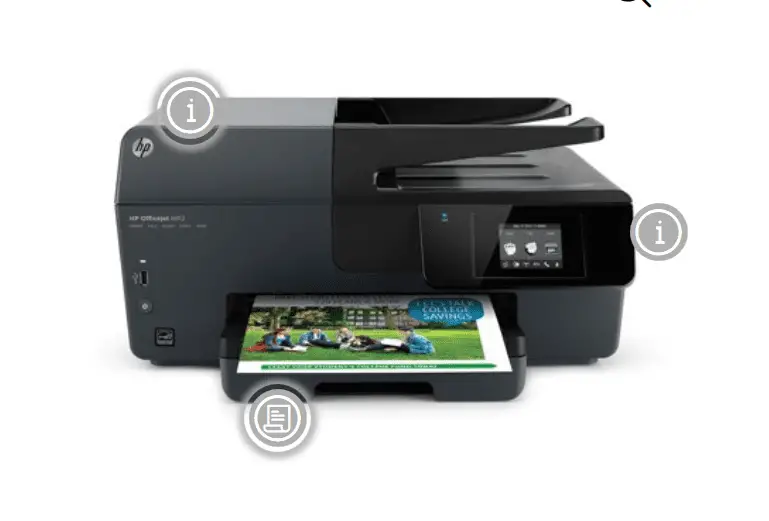
There are many different faxing machines, and it is vital once again that you check on compatibility.
When you connect your computer to a fax machine, you will be able to send and receive your fax messages through the network.
That means you will not have to scan your fax before sending it, nor will you have to print it out to view it.
For your connected faxing machine to work correctly, you will have to ensure that you have a landline phone line connected to your faxing computer.
It is also advisable not to use a VoIP phone connection because they tend to scramble up the fax signals.
Remember that you also require a computer that can run Windows 10 properly.
One of the main advantages of the connected faxing method is that the computer makes things easier as far as composing and sending fax messages is concerned.
Also, it is a sure way of sending messages without fear of them getting distorted.
The below video will show how to fax and scan using Microsoft Windows 7. You can apply the same for Windows 10.
Using fax software
You should know that Windows 10 comes with faxing software installed.
However, it takes a functional integration for you to be able to enjoy the services.
However, you need to ensure that you are connected to a phone-line landline and not VoIP.
You will also require a modem or fax board for the Windows Fax feature to be activated. The good news is most computers have this ability.
Your computer needs to be always on until the process is done.
When using Windows Fax and Scan as a fax machine, you need to know that it does not use up your internet.
That is because the transition is strictly through the telephone lines. It is also imperative that you have a computer that is well compatible with Windows 10.
One mistake that most people make is installing Windows 10 on a computer that is not meant for such an operating system.
The results typically include the computer being too slow. Other features may also fail to function as expected. This includes the Windows Fax and Scan feature.
FAQ
How to reinstall Windows Fax and Scan on Windows 10?
If you want to install Windows Fax and Scan in Windows 10, then follow these steps. Open the Run dialog box by pressing Win + R and type optionalfeatures. Click on OK. Expand Print and Document Services. Tick the option that says Windows Fax and Scan. You should get your default program running. Uncheck the option and restart Windows 10 to remove it from your computer. Then install it again to reinstall it.
Where is Windows Fax and Scan located?
In Windows 7 and earlier, you can find it in the Start Menu’s accessories folder. For Windows 10, you need to get it from the Microsoft Store. The executable for this program is located in C:\Windows\System32\WFS.exe. In Windows 11, you need to install from optional features in Settings > Apps. It is generally around 9 MB in size. Many Microsoft Office programs use this program to send Word and Excel documents as faxes.
Why is Windows Fax and Scan routing to a network folder?
When you are in an office network environment, you would like to Windows Fax and Scan documents to the network folder. It gives access to all your team members and employees. But if it is not saving to the network location, click Tools > Scan Routing. Tick the option “Use a network folder” and give the correct path on the server. But you have to give the share of the destination folder for this to work.
Why do I get the Windows Fax and Scan unexpected error?
When you get any kind of error using this app in Windows 10 or 11, then try the hardware and devices troubleshooter. In Windows 7 and earlier, you can try the troubleshooting fax problems guide from Windows documentation. http://windows.microsoft.com/en-US/windows-vista/ Troubleshoot fax problems. Corrupt or outdated drivers could also cause the issue. Sometimes, disabling and enabling the Windows Fax and Scan will solve the problem. Scanner configuration could be in error.
Conclusion
There are different ways to fax with Windows 10. You are free to use any of them.
However, VoIP is not an option when it comes to getting the right telephone line.
Also, remember that with fax messaging you must have a fax number for sending and receiving the messages.
You don’t have to necessarily own a fax number thanks to the online faxing options.
Fax messaging is safe. That is the main reason why it is used regardless of new simpler options.
That is because there is nothing like malware that can be transferred through fax machines.
