Having issues with HDMI ports not working properly on your LG TV? HDMI cables failing to transmit audio and video is frustrating. But don’t worry – in most cases it’s fixable. Below we cover 5 effective troubleshooting solutions to get HDMI ports functioning again on LG televisions.
There’s nothing more irritating than plugging in a new device to your fancy LG TV via HDMI, only to be greeted by a blank screen. HDMI ports failing to transmit video and audio signals is one of the most common connection issues reported by LG TV owners.
Introduction to LG TV HDMI Problem
Thankfully, a non-working HDMI port doesn’t automatically mean an expensive repair or component replacement. Through meticulous troubleshooting, experts have identified the top causes of HDMI issues specific to LG televisions.
And better yet, they’ve compiled proven solutions to get HDMI inputs functioning again without professional service. By methodically applying certain workarounds, you can bypass the HDMI problems and restore full connectivity in minutes.
Common Solutions
Follow best practices like firmly reseating cables, updating TV firmware, factory resetting settings and toggling CEC modes to pinpoint the cause of temperamental HDMI inputs on your LG TV. I
Implement a process of elimination using the expert tips outlined here and you’ll have the HDMI ports working properly again in no time. Don’t despair over finicky HDMI operation – a bit of guided trial and error will get your LG TV’s connectivity back on track.
1. Check Cable Connections
Make sure HDMI cables on both ends are securely inserted into the ports on the TV and device. Try swapping for a different certified HDMI cable if possible. Snug connections are key.
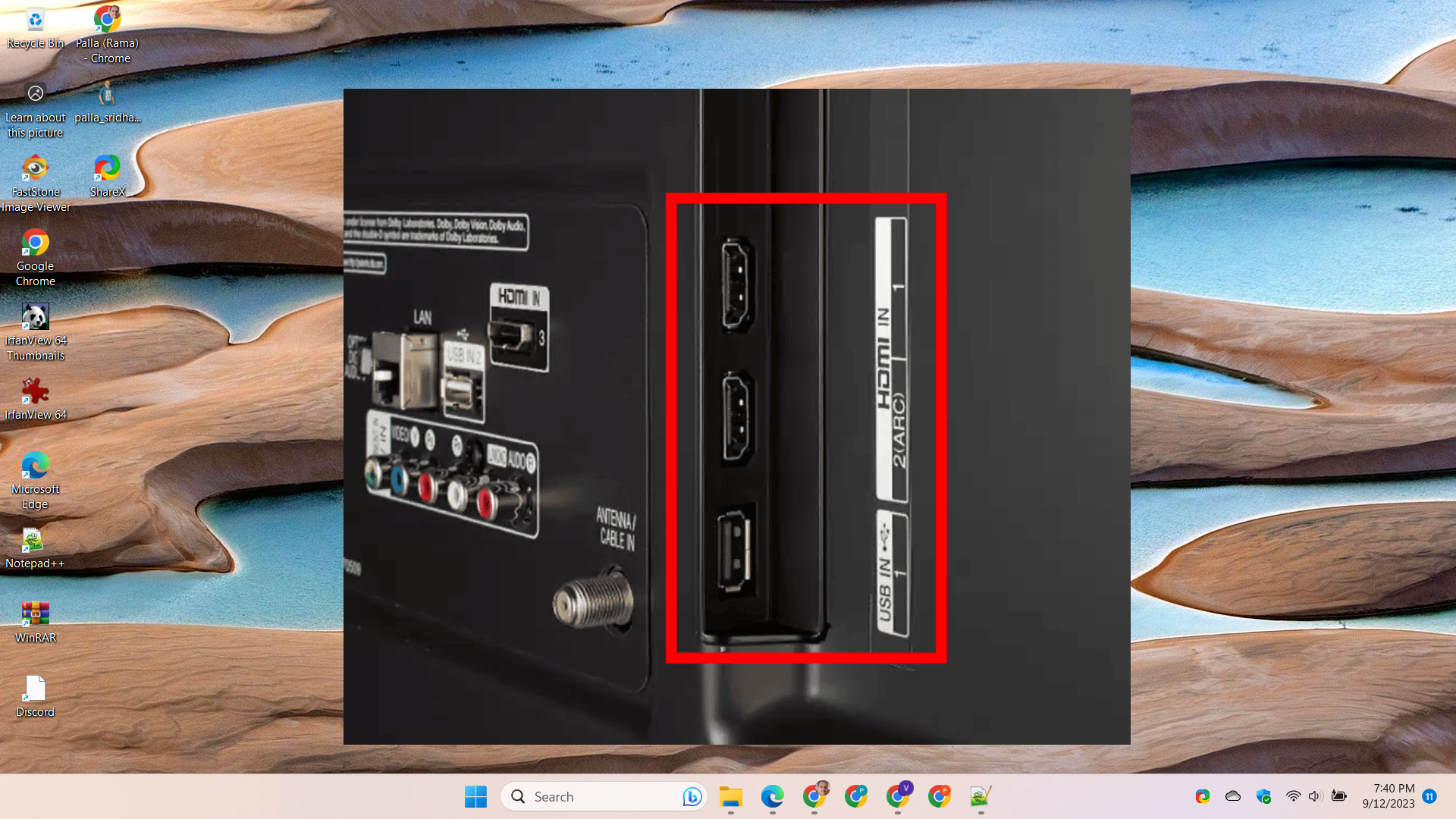
- Make sure both ends of the HDMI cable are inserted fully into the ports on the TV and your device (Blu-ray player, game console etc). Gently wiggle the cable and check it is firmly in place.
- Try disconnecting both ends and reinserting the cable. Connections can become loose over time. Reseating the cable may help.
- Inspect the HDMI cable ports on the back of the TV for any damage or bent pins. Damaged ports can cause connectivity issues.
- Try using a different HDMI port on the TV if possible. This will confirm if the issue is with a particular port or the cable.
- Test the HDMI cable with a different device like a laptop to see if the issue persists. Use a different HDMI cable if available for troubleshooting.
- For larger TVs, use HDMI extenders or active cables if the standard cable is too short. Insufficient reach can disrupt the HDMI signal.
- Ensure the HDMI cable is certified and meets the latest HDMI standards suited to your device’s outputs.
Checking all physical HDMI connections is the first step in troubleshooting LG TV display issues. Secure, undamaged cables and ports are essential for optimum HDMI performance.
2. Toggle CEC Settings
Consumer Electronic Control (CEC) can sometimes interfere with HDMI functionality. Disable CEC in your LG TV’s settings, or toggle CEC to a different mode like ARC which may resolve HDMI problems.
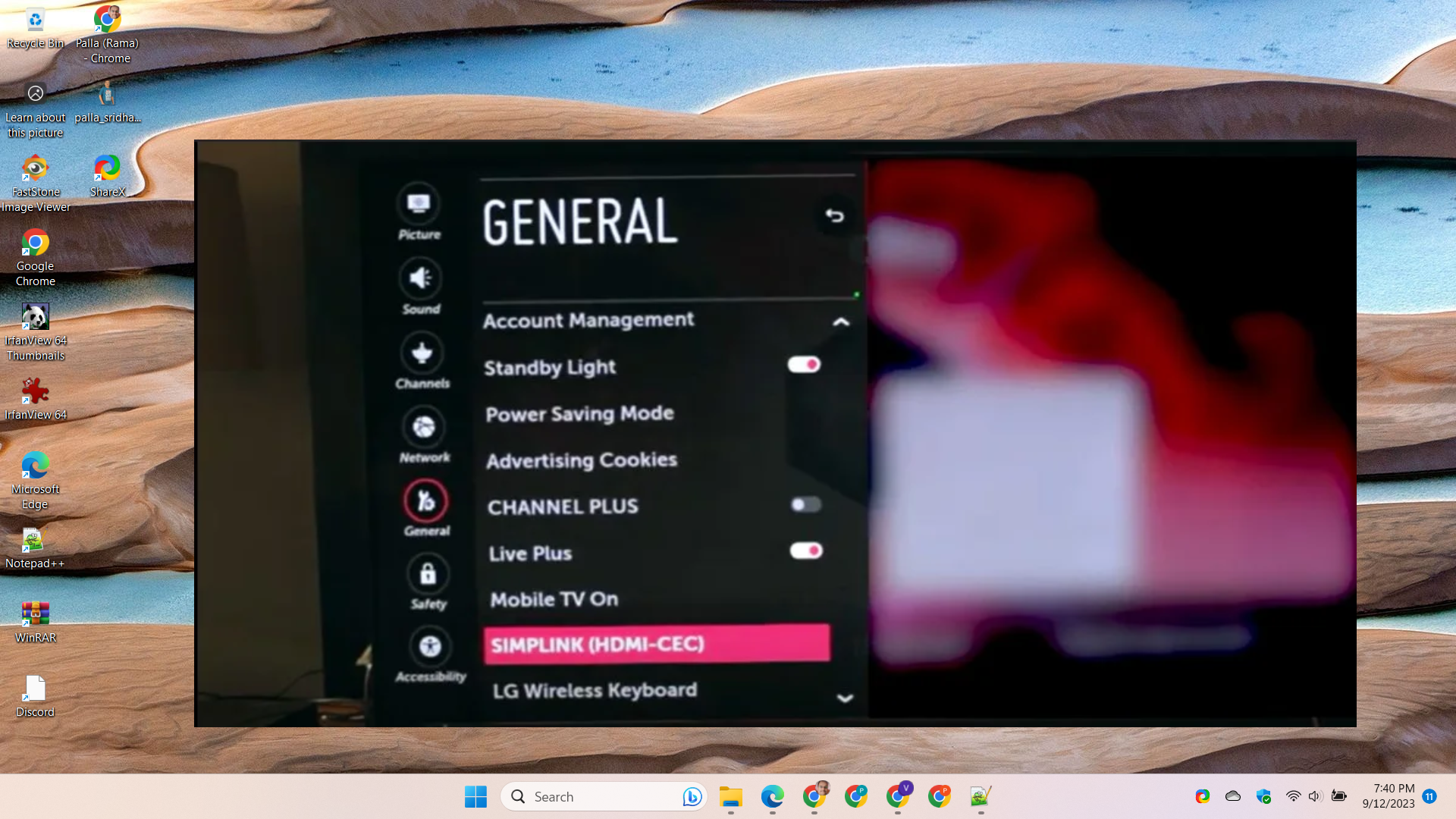
Here are some tips on toggling CEC settings on an LG TV to troubleshoot HDMI issues:
- CEC or Consumer Electronics Control allows devices connected via HDMI to communicate and control one another. This can sometimes cause HDMI conflicts.
- On your LG TV remote, access the Settings menu and locate the CEC option, which may be under General > Devices > External Devices.
- Try toggling CEC from On to Off to see if it resolves the HDMI problem. Turning CEC off fully can eliminate compatibility issues.
- If you want to keep CEC enabled, try changing the setting from SIMPLINK to ARC only. This still allows ARC audio transmission without other CEC functions.
- You can also try disabling individual CEC device control options like TV auto turn on, audio control, and device auto power off to pinpoint problematic settings.
- After adjusting CEC configurations, be sure to power cycle connected devices and TV to reset the HDMI handshake.
- If disabling CEC fixes your LG TV HDMI problem, you can enable it again and enable SIMPLINK devices one by one to identify incompatible equipment.
- Adjusting CEC modes and toggling SIMPLINK device control can prevent HDMI-CEC conflicts while allowing desired functions like ARC audio passthrough.
3. Factory Reset TV
Resetting your LG TV back to factory default settings can clear any software bugs inhibiting HDMI operation while retaining the core firmware. Just be sure to backup settings before resetting.
4. Update TV Firmware
Check LG’s website for a newer firmware update for your model and install it. Firmware updates often include HDMI compatibility improvements to fix connectivity issues.
5. Change Input Label
Try changing the input label for the non-working HDMI port in your LG TV’s settings to a different device type, like DVD player instead of Blu-Ray. This refreshes the connection.
Following the smart troubleshooting tips above will get HDMI functionality working again on your LG television. Be sure to experiment to pinpoint the exact cause.